WooCommerce Feed Not Updating? Why “Ready (Auto)” Can Still Be Lying to You

Key insights:

  • “Ready (auto)” is a setting, not proof the schedule ran: a stalled feed produces zero visible errors in wp-admin while quietly drifting out of sync with your live prices.
  • Server-side cron only fixes half the problem: even a correctly configured server-side cron job can run under a separate, lower PHP memory limit than your site’s normal requests, and that’s a hosting-level fix, not a WordPress setting.
  • Google can’t tell a stale feed from a real pricing mistake: both trigger the same preemptive item disapproval, often before you notice anything’s wrong.
  • The real proof is a live test, not the status column: change a price, wait past your interval, and confirm the feed itself picked it up.
  • This is core WordPress behavior, not a plugin bug: it applies no matter which feed plugin runs on top of WP-Cron.

A WooCommerce store’s product feed sat frozen for months. The schedule said daily at 3 a.m. The status column said Ready (auto). Nothing in WordPress showed an error, no red banner, no failed-job notice, nothing.

Google Merchant Center didn’t care about any of that. Its crawler compared the price in the feed to the price on the live product page and to the schema markup on that page, if any existed. It found a mismatch and triggered a preemptive item disapproval, pulling the product before a single shopper could see the wrong price at checkout. That check runs over hours to days, not instantly, which is exactly why a stale feed can sit quietly for weeks before it turns into a wave of disapprovals that looks like it came out of nowhere.
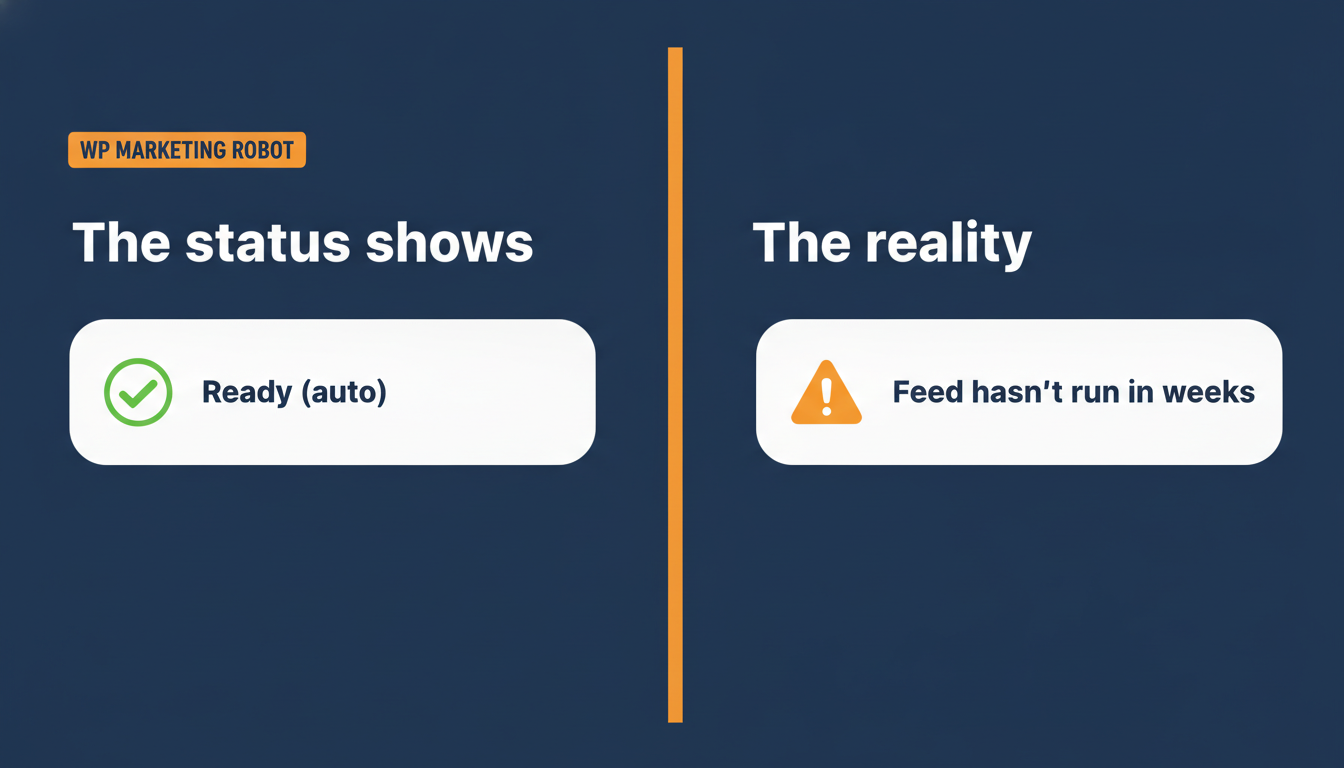
Comparison graphic: the status column shows Ready (auto) on the left, while the reality on the right is that the feed has not run in weeks.
What the feed status shows versus what is actually happening.

Why this isn’t really about Google

A stalled schedule is one of several warning signs a WooCommerce feed is quietly sick before it turns into a full disapproval wave. Merchant Center disapprovals sort into a handful of broad buckets: missing data, policy issues, inaccurate data, technical issues. Most store owners read that and go straight to Merchant Center to argue their case. Wrong place to start. Two of those, missing data and inaccurate pricing, usually trace back to your own product data and feed setup, not anything wrong inside Google, the same feed requirements covered in why a product isn’t appearing on Google Shopping in the first place.

Here’s the part that trips people up. Google’s system cannot tell the difference between “the merchant changed the price on purpose and forgot the feed” and “the feed hasn’t updated since March.” It sees a mismatch and it acts. A stalled feed produces the exact same symptom as a genuine pricing mistake, and Google treats both the same way.

The real cause, and it’s not what most people check first

WordPress doesn’t have a real cron system. WP-Cron, the built-in scheduler every plugin relies on for anything time-based, only fires when someone visits the site. On a quiet store, or on certain hosting setups, that’s not often enough, and a lot of WooCommerce merchants already know this half of the story.

What most don’t know is the second half. Even once a host’s server-side cron is wired up correctly, the process that actually runs it often executes under a PHP configuration completely different from the one your site uses for normal visits, including a lower memory limit. In one case we traced, that limit was down to roughly 1MB, an extreme example, but even a moderate cap is enough to kill a feed generation job for anything beyond a tiny catalogue. It gets capped or fails partway through, and because the failure happens outside a normal WordPress request, nothing surfaces as an error in wp-admin. The schedule still says auto. The feed still says ready. It just never actually ran.

This isn’t a one-off. It’s the same signature across a cluster of support tickets this year: auto-on correctly set, schedule correctly set, feed frozen anyway. And it’s worth saying plainly, this is how WordPress itself handles scheduled tasks. It has nothing to do with which feed plugin you run.
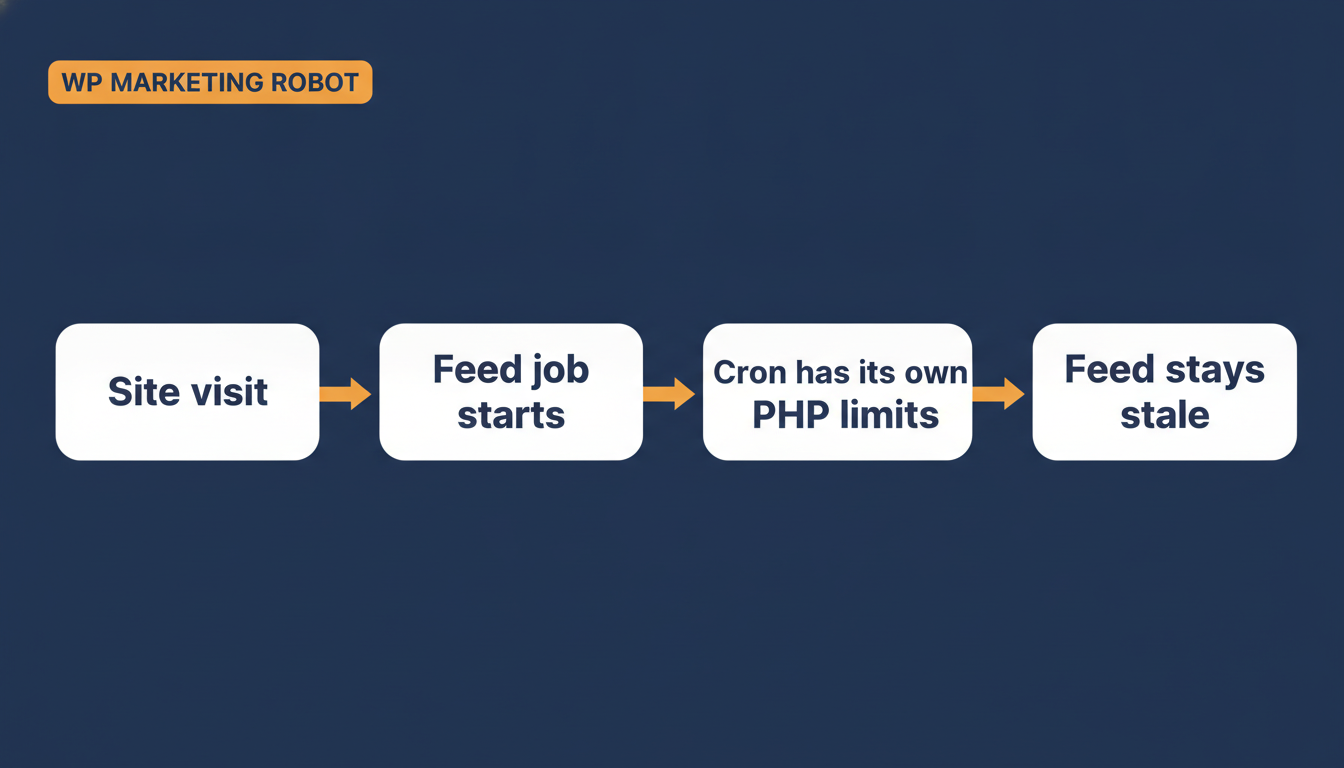
Pipeline diagram: a site visit triggers the feed schedule, the feed job starts on cron, cron runs under its own PHP memory limits, and the feed stays stale.
Why a correctly scheduled WooCommerce feed can still silently fail to update.

The three things to check this week

  1. Open your feed list and look at the status column. It should say “Ready (auto),” not “Ready (manual).” If it’s manual, nothing updates until you click it yourself, and that’s a separate, simpler problem to fix.
  2. Check the actual interval. WP Product Feed Manager’s default is daily at midnight. For a store running active price changes or regular sales, every 6 to 12 hours is a better balance between a fresh feed and server load. On shared hosting, stay closer to 12 hours. On a VPS or dedicated server, you can go tighter, the same server-resource tradeoff that shows up when a feed plugin has to handle 10,000+ SKUs without crashing.
  3. Set up a server-side cron job through your hosting control panel, and confirm it has real memory to work with. This is the step that actually catches the failure described above. A server-side cron removes the dependency on site visits, but that alone doesn’t guarantee success if the cron’s own PHP process is still capped. If your feed still isn’t moving after switching to server-side cron, ask your host directly whether the cron job runs under the same memory limit as your normal site requests. Raising the memory_limit setting inside WordPress doesn’t touch this, the fix has to happen in the hosting cron configuration itself.

If you’ve just fixed a price and don’t want to wait for the next scheduled run, the manual regenerate button is the immediate unblock. It runs under your site’s normal PHP settings, not the cron environment, so it isn’t affected by any of this.

What success actually looks like

Don’t just check that the status column says auto. Change a price on one product, wait past your configured interval, and confirm the feed itself picked it up without you touching the regenerate button. That’s the only real proof the schedule is running, not just set.

One honest limit worth naming: WP Product Feed Manager keeps your feed price accurate, but it doesn’t touch the schema markup on your product pages. That’s a separate SEO or schema plugin’s job, and Google checks that markup too when it evaluates a price match.

A feed that says “auto” is a setting, not proof that it ran. Treat it like any other silent failure and check it directly, the same way you’d check that a backup actually completed instead of trusting that the job exists. This sits alongside the rest of what feed optimization for WooCommerce actually covers, reliability comes before ranking.

If you want the full step-by-step, including exactly how to set up the server-side cron job, the help article on setting automatic feed updates has been updated to cover this specific failure mode.

Frequently asked questions

What can I do about products disapproved in Google Merchant Center for a price mismatch?
Fix the underlying data first, whichever of your feed, product page, or schema markup is wrong, then request a review inside Merchant Center. The disapproval doesn’t clear automatically once the data is correct, Google needs the manual review request. Give the recheck a few hours to days to complete.

Why did Google disapprove products even though I didn’t change any prices on purpose?
Google’s crawler can’t tell the difference between a merchant who changed a price and forgot to update the feed, and a feed that simply stopped updating months ago. Both produce the same mismatch between the feed price and the live page price, and Google reacts to the mismatch, not the reason behind it. That’s usually the sign a schedule stalled rather than that anyone made a pricing mistake.

My feed status says “Ready (auto),” why isn’t it actually updating?
That label describes the setting, not a completed run. WP-Cron, the scheduler behind it, only fires when someone visits the site, and even a server-side cron job can silently fail for a separate reason. Confirm it’s working by changing a price and checking whether the feed picks it up after your configured interval, not by trusting the status column alone.

I already raised my PHP memory limit, why is my feed still not updating on schedule?
Because the memory_limit you set inside WordPress applies to normal web requests, not necessarily to the process your host uses to run cron jobs. That process often runs under its own, separate PHP configuration. The fix has to happen in your hosting’s cron configuration specifically, ask your host whether the cron process shares the same memory limit as your site.

How do I know my feed schedule is actually working, not just switched on?
Change the price on one product, wait past your configured update interval, and check whether the feed file itself reflects the new price without you clicking the manual regenerate button. That’s the only real confirmation. A status column that says “auto” is a configuration, not a completed run.

Why is My WooCommerce Product Not Appearing on Google Shopping? A Beginner’s Guide to Feed Requirements

You’ve done everything right. You’ve built a beautiful WooCommerce store, curated your products, and taken stunning photos. You signed up for Google Merchant Center, eager to see your items appear in front of millions of shoppers. You wait a day. Then another. But your products are nowhere to be found on Google Shopping.

This silent rejection is one of the most common and frustrating experiences for new WooCommerce merchants. It feels like you’ve been ghosted by Google.

The good news? You’re not alone, and the problem is almost always solvable. The issue usually isn’t with your products themselves, but with how you’re describing them to Google. You need to speak Google’s language, and that language is spoken through a product feed.

Think of it this way: Google Merchant Center (GMC) is like a meticulous hiring manager, and your product feed is your product’s resume. If the resume is incomplete, uses the wrong format, or contains inconsistent information, it gets tossed aside without a second glance. This guide will help you write the perfect resume for your products.

The Foundation: What Is a Google Shopping Feed?

A Google Shopping feed is simply a file, like a spreadsheet, that contains all the critical information about your products, organized in a way that Google’s systems can understand. WooCommerce stores your product data in its own database, but Google needs that data translated into its specific format.

This file lists out attributes for each item you sell. When a user searches for “red running shoes size 10,” Google scans the feeds from countless merchants to find products that perfectly match that description. If your feed is missing the color, product category, or size, you simply won’t show up.

This is where the problems begin. A small discrepancy between the data on your website and the data in your feed can lead to disapproval.

Deconstructing the Feed: The Core Requirements That Trip Up Beginners

Getting your products approved isn’t about having a perfect website; it’s about providing perfect data. Here are the most common areas where new merchants stumble.

1. Product Identifiers: The “Big Three” (GTIN, MPN, and Brand)

This is, without a doubt, the number one source of confusion. Unique Product Identifiers (UPIs) are codes that help Google understand exactly what product you’re selling.

  • GTIN (Global Trade Item Number): This is the most common UPI. It’s the barcode number on a product’s packaging (UPC in North America, EAN in Europe, JAN in Japan). If you sell new, branded products from other manufacturers, you almost certainly need a GTIN.
  • MPN (Manufacturer Part Number): An alphanumeric code created by the manufacturer to identify a specific part among other parts from the same manufacturer. Essential for hardware, car parts, and electronics.
  • Brand: The brand name of the product.

The “Do I Need an Identifier?” Dilemma: The biggest myth is that every product needs a GTIN. This isn’t true.

  • Selling a new, branded product (e.g., a Nike shoe)? You must provide the brand and gtin.
  • Selling a product without a GTIN (e.g., replacement parts)? You should provide the brand and mpn.
  • Selling a custom, handmade, or vintage item (e.g., a one-of-a-kind piece of jewelry)? You don’t have a GTIN or MPN. In this case, you must tell Google the identifier does not exist by setting the identifier_exists attribute to no. If you fail to do this, Google will disapprove the item for missing a GTIN.

Aha Moment: Failing to provide a required GTIN will get your product disapproved. But falsely claiming you don’t have one when the product clearly does (like a new iPhone) will also lead to disapproval. Accuracy is everything.

2. High-Quality, Valid Images (image_link)

Google has strict rules about images. An image-related error is an easy one to make.

  • No Placeholders: The image must show the actual product.
  • Clean Background: The main image should ideally be on a solid white or transparent background.
  • No Text or Watermarks: Promotional text, logos, or watermarks are not allowed on the main image.
  • Stable URL: The image URL must be a permanent, crawlable link. If your URL changes or is blocked, Google can’t see the image, leading to disapproval. This often happens with poorly configured image hosting or CDN settings.

A sample image of a product on a clean background, suitable for Google Shopping.(Image: A clean, high-quality product image like this is essential for Google Shopping approval.)

3. Price and Availability Mismatches (price, availability)

What a customer sees on your product page must exactly match what’s in your feed.

A recent study showed that price mismatches are among the top 5 most common reasons for Google Merchant Center account suspensions. Even a tiny difference can cause disapproval. This often happens when:

  • You run a sale on your WooCommerce store, but haven’t updated your feed.
  • Your WooCommerce caching plugin is showing an old price to Google’s crawler.
  • A product goes out of stock, but your feed still says in stock.

Google constantly cross-references your feed with your live website. If it detects a mismatch, it will disapprove the item to avoid showing shoppers incorrect information.

Common Disapproval Reasons & How to Find Them

When Google disapproves of a product, it doesn’t just block it silently. It tells you why in the Diagnostics tab of your Google Merchant Center account. This is your command center for troubleshooting.

Here are the most common errors you’ll see and what they mean:

Error Message in GMC What It Really Means How to Fix It in WooCommerce (Manually)
Missing a value [gtin] You’re selling a branded product but didn’t provide its barcode number (GTIN). Find the GTIN on the product’s packaging. Go to the WooCommerce Product Data section for that item and enter the GTIN into the designated field (you may need a plugin to add this field).
Invalid value for [availability] The availability in your feed (in stock) doesn’t match your live site (out of stock). Check your product’s stock status in WooCommerce. Ensure that when an item sells out, your feed is updated immediately to reflect out of stock. This is often a timing issue with manual updates.
Promotional overlay on image Your product image has a “SALE” banner, your logo, or other text on it. Re-upload a clean version of the image without any text overlays. Your main image must be pristine. Use the “Additional image link” attribute for lifestyle shots.
Mismatched value (page crawl) [price] The price in your feed is different from the price on your product page. This can be caused by sales, taxes, or caching. Ensure the base price in WooCommerce matches your feed. If you have complex tax or shipping rules, make sure they are configured identically in both WooCommerce and Google Merchant Center to avoid discrepancies.

A screenshot showing where GTIN and other product identifiers are managed in the WooCommerce product editor.(Image: Your WooCommerce product editor is where you must input accurate identifier data like GTIN or MPN.)

The Slippery Slope of Manual Management

Can you fix these issues manually? Absolutely. You can go through your WooCommerce products one by one, find the GTINs, update the stock, and create a spreadsheet to upload to Google.

But what happens next week?

  • A supplier changes an MPN.
  • You run a flash sale for 48 hours.
  • Three products are out of stock.
  • Google updates its google_product_category requirements.

Suddenly, you’re back in the diagnostics tab, pulling your hair out. Manually managing a feed for more than a handful of products is not just time-consuming, it’s a recipe for continuous errors and lost sales. This is where successful merchants make a crucial pivot from manual fixes to automated consistency.

Effective product feed management isn’t a one-time task; it’s an ongoing process. You need a system that automatically pulls the latest, most accurate data from your store and delivers it to Google in the correct format, on a schedule you set.

A screenshot of the WooCommerce Product Feed Manager plugin interface, showing an automated feed update schedule.(Image: Automating your feed updates ensures Google always has your latest price, stock, and product data.)
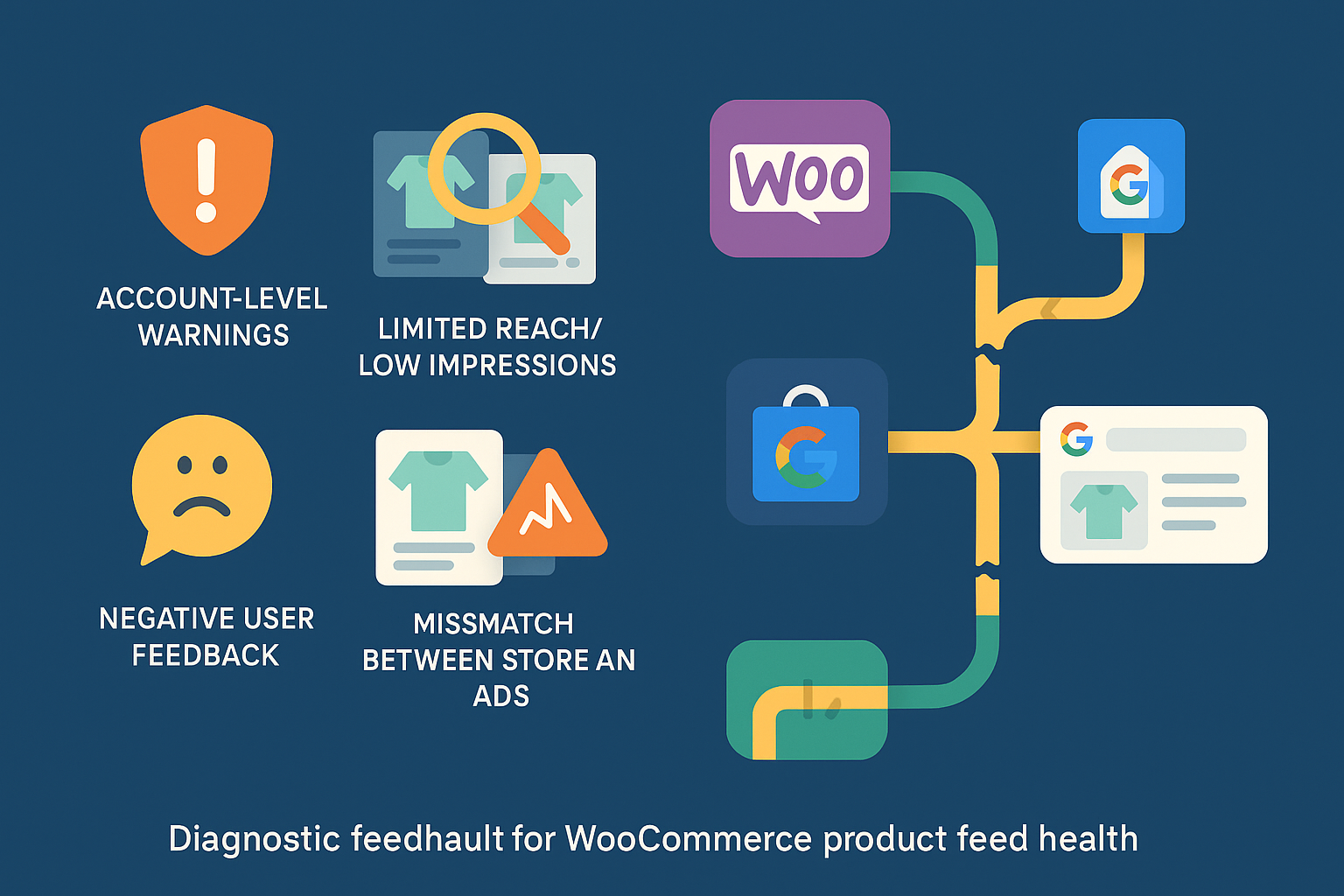
Frequently Asked Questions (FAQ)

1. How long does it take for my products to appear on Google Shopping? After you submit a new feed, it can take Google up to 72 hours to review your products. If they are approved, they can start appearing in free listings and paid ads shortly after. If they are disapproved, they won’t show up until you fix the errors and Google re-reviews them.

2. What’s the difference between a “Warning” and an “Error” in GMC Diagnostics? An Error (red) means the product is disapproved and will not show up anywhere. This is critical to fix. A Warning (yellow) means the product is still eligible to show, but its data is suboptimal or missing recommended attributes. Fixing warnings can improve your ad performance, but it isn’t as urgent as fixing errors.

3. Do I really need to fill out the “Google Product Category”? While your WooCommerce product category helps organize your store, there google_product_category is Google’s own taxonomy. It is highly recommended. Providing this helps Google understand your product better, leading to it being shown for more relevant searches. For some categories (like Apparel & Accessories), it’s mandatory.

4. My products are variable (e.g., a t-shirt in different sizes and colors). How do I handle that? Each variant must be submitted as a separate item in your feed. You can’t just list the parent “t-shirt.” The feed needs a line for the “red, size small” t-shirt and another for the “blue, size large” t-shirt, each with its own unique image, price, and availability. This is a major complexity where manual feeds often fail.

Your Path Forward: From Frustration to Visibility

Getting your products listed on Google Shopping is a game of details. While the rules can seem intimidating, they are logical. Google’s goal is to provide a trustworthy and consistent experience for its users, and that starts with accurate data from merchants like you.

By understanding the key requirements around product identifiers, data accuracy, and image quality, you’ve already overcome the biggest hurdles. The next step is to decide how you will ensure that accuracy day in and day out.

For a deeper dive into optimizing your feed for success, explore our complete guide on Google product feed management. By shifting your focus from reactive fixes to proactive automation, you can finally stop worrying about why your products aren’t showing up and start focusing on the sales that roll in when they do.

Symptoms of a Sick Product Feed: 5 Warning Signs Your Products Are Invisible on Google

You’ve done everything right. You’ve built a beautiful WooCommerce store, sourced incredible products, and even set up Google Shopping to reach new customers. Yet, the results are… underwhelming. A trickle of traffic, a handful of clicks, but none of the sales you were hoping for. You start to wonder, “Are my products even being seen?”

If this sounds familiar, you’re not alone. Many store owners assume that if there are no big, red error messages in their Google Merchant Center account, everything is working fine. But often, the most damaging issues are silent. They don’t appear as errors; they manifest as poor performance, missed opportunities, and a frustrating lack of growth.

These are the symptoms of poor feed validation subtle warning signs that the data pipeline between your store and Google is broken. Think of your product feed as your store’s digital ambassador. If it’s not communicating clearly, your products become invisible. Let’s explore the symptoms that tell you your ambassador needs help.

A Quick Refresher: What a Healthy Product Feed Should Be Doing

Before we dive into the problems, let’s picture what success looks like. In a perfect world, your product feed works like a flawless information highway.

  1. A customer searches for “blue waterproof running jacket” on Google.
  2. Your healthy product feed has already sent perfectly structured, accurate data to Google, including the title, description, color, availability, price, and high-quality image for your jacket.
  3. Google’s algorithm sees your product as a highly relevant, trustworthy match for the search.
  4. Your product appears prominently in the Shopping results, the customer clicks, and they land on a page that perfectly matches the ad they just saw.

This seamless journey is the goal. When it breaks down, it’s usually not because of one catastrophic failure, but a series of small data issues that create the following symptoms.

The 5 Biggest Warning Signs of Poor Feed Validation

If you’re experiencing any of these issues, it’s a strong indicator that your product feed is the root cause. Most store owners blame their ad campaigns or product appeal, but the problem often lies deeper in the data itself.

1. The Ghost Town Effect: Persistently Low Impressions and Limited Reach

This is the most common and frustrating symptom. Your products are technically “approved” in Google Merchant Center, but they get almost no impressions. It feels like you’re shouting into the void.

What it looks like:

  • Your Google Ads dashboard shows Shopping campaigns are active, but impressions are near zero.
  • You search for your own products on Google (even with specific terms) and can’t find them.
  • In Google Merchant Center, you see a high number of “Active” products, but they aren’t generating traffic.

Why it happens: This is a classic sign that Google’s algorithm doesn’t have enough confidence in your product data to show it to users. The cause is often incomplete or poorly optimized data. Missing a Global Trade Item Number (GTIN), having a generic product title like “T-Shirt” instead of “Men’s Organic Cotton Crewneck T-Shirt – Navy Blue,” or using the wrong Google Product Category can all render your product virtually invisible. Google won’t show a product if it can’t be sure what it is. This is a direct hit to your overall product visibility.

2. The Bait-and-Switch: Data Mismatches Between Your Store and Ads

Have you ever clicked on a shopping ad for a sale price, only to find the product is full price on the website? It’s an instant deal-breaker. When this happens with your products, you’re not just losing a sale; you’re eroding trust with both customers and Google.

What it looks like:

  • You receive “price mismatch” or “availability mismatch” warnings in Google Merchant Center.
  • Your Google Analytics data shows a high bounce rate for traffic coming from Shopping ads.
  • Customers contact you asking why the price on Google is different from your site.

Why it happens: This is a tell-tale sign that your product feed is not updating frequently enough. If you run a sale on your WooCommerce store but your feed only updates once a week, you’ll be advertising outdated prices for days. The same goes for stock levels. Advertising out-of-stock products leads to wasted ad spend and a terrible customer experience. A reliable and frequently updated woocommerce merchant center feed is essential to prevent these mismatches.

3. The Money Pit: Underperforming Campaigns with Low Click-Through Rates

You’ve set your bids, defined your budget, and launched your campaign. Yet, the results are dismal. People see your ads but don’t click, or they click but don’t buy. While many factors can cause this, a weak product feed is a prime suspect.

What it looks like:

  • Your Shopping ads have a significantly lower Click-Through Rate (CTR) than your text ads.
  • Conversion rates from Shopping campaigns are poor, leading to a high Cost Per Acquisition (CPA).
  • Your ad spend is high, but your Return On Ad Spend (ROAS) is frustratingly low.

Why it happens: Google creates Shopping ads directly from your feed data. If your product titles are uninspired, your images are low-quality, or key attributes like color or size are missing, your ads will be unappealing. Think about it: an ad with a generic title and no specific details is far less clickable than a competitor’s ad that clearly states exactly what the product is. Your feed data is your ad creative.

4. The Rising Tide: A Growing List of Item Disapprovals

This is the least subtle symptom. While a few disapprovals are normal, a steady increase or a sudden wave of flagged items signals a systemic problem.

What it looks like:

  • The “Diagnostics” tab in Google Merchant Center shows a growing percentage of disapproved items.
  • You find yourself spending more and more time trying to manually fix individual product errors.
  • Entire categories of products are being rejected for the same reason (e.g., “missing image_link“).

Why it happens: This is often the final stage. The subtle issues that were causing low impressions and poor performance have now become so significant that Google is explicitly rejecting your products. This is the feed’s cry for help. While it’s tempting to play “whack-a-mole” and fix errors one by one, it usually points to a deeper flaw in how your feed is being generated or structured. The problem isn’t just one product; it’s the system creating the data.

5. The Mystery Warning: Vague Account-Level Notifications

Sometimes, Google sends you a heads-up that isn’t tied to a specific product. You might see a banner in your Merchant Center account with a message like “Data quality issues are limiting the performance of your items.”

What it looks like:

  • A non-critical notification appears on your Merchant Center overview page.
  • The message doesn’t point to specific errors but suggests broader improvements are needed.
  • You might receive an email about “improving your data quality” without explicit instructions.

Why it happens: This is Google’s proactive nudge. Their algorithms have detected patterns of inconsistent or low-quality data across your entire feed. It might not be enough to trigger mass disapprovals yet, but it’s enough for Google to warn you that your products aren’t meeting their full potential. Ignoring these warnings is like ignoring the check engine light in your car—the problem will only get worse.

Your First Diagnostic Steps

Recognizing these symptoms is the first step. Now you can begin to diagnose the health of your feed. You don’t need to be a technical expert to start.

  1. Manual Spot-Check: Pick 5 of your top-selling products. Search for them on Google. Can you find them? Now, look at their data in your WooCommerce store and compare it to what’s in your feed. Check the price, title, stock status, and image. Do they match perfectly?
  2. Explore the Diagnostics Tab: Spend 10 minutes in the Google Merchant Center “Diagnostics” tab. Look beyond the red “Errors” and pay attention to the yellow “Warnings.” These are the issues currently limiting your performance.
  3. Review Performance Data: In your Google Ads account, filter for your Shopping campaign. Sort your products by impressions. Are your most important products getting the visibility you expect? If not, their data is likely the problem.

Understanding these symptoms is crucial because it reframes the problem. It’s not about “fixing Google errors”; it’s about improving the clarity and quality of your product data to drive business growth. Effective ecommerce feed management is foundational to success in today’s competitive online marketplace.

Frequently Asked Questions (FAQ)

What is a product feed, exactly?

A product feed is essentially a digital file (like a spreadsheet or XML file) that contains all the important information about the products you sell. This includes titles, prices, descriptions, stock availability, images, and unique identifiers like GTINs. You submit this file to marketing channels like Google Shopping, Facebook, or Amazon so they can list and advertise your products accurately.

Why is Google so strict about product data quality?

Google’s primary goal is to provide the best possible experience for its users. If a user clicks a Shopping ad and finds a different price, an out-of-stock item, or a product that doesn’t match the description, their trust in Google is damaged. By enforcing strict data quality standards, Google ensures that the information it shows is reliable, which leads to happier shoppers and more effective advertising for merchants.

What’s the difference between a “warning” and an “error” in Google Merchant Center?

  • An Error (red icon) is a critical issue that violates Google’s policies. Products with errors are disapproved and will not be shown in ads until the issue is fixed. An example is a missing required attribute like price.
  • A Warning (yellow icon) indicates a problem that is limiting your product’s performance but is not a policy violation. The product is still eligible to be shown, but its visibility might be restricted. An example is a missing “recommended” attribute like color. These warnings are often the early signs of the symptoms discussed in this article.

Is a few disapprovals normal?

Yes, it’s very common to have a small number of disapprovals, especially in a large and frequently changing inventory. The key is to monitor the trend. A stable, low number of errors is manageable. A consistently growing number indicates a systemic problem with your product feed management process. For a Performance Max setup specifically, see how to build a WooCommerce product feed for a feed-only PMax campaign.

Performance Review: Can Your WooCommerce Product Feed Plugin Handle 10,000+ SKUs Without Crashing?

For successful WooCommerce merchants, especially those running dropshipping operations or established SMEs, growth often means one thing: more products. As your catalog swells past a few thousand, the initial excitement of scaling can quickly turn into a significant headache. The question shifts from “Can I export my products?” to “Can my product feed plugin handle 10,000, 20,000, or even 50,000+ SKUs without bringing my site to its knees?”

If you’re reading this, you probably already understand the critical role product feeds play in your online strategy. They’re not just lists; they’re the lifeblood connecting your store to vital channels like Google Shopping, Facebook, and Amazon, driving traffic and sales. But when you’re dealing with a massive inventory, the stakes and the potential for catastrophic failure are much higher.

This isn’t about finding any feed plugin; it’s about finding one that’s engineered for your scale, rigorously tested, and proven to be a reliable partner. We’re going to dive deep into what real performance looks like for large WooCommerce catalogs and how to ensure your plugin is up to the task.

The High-SKU Headache: Why Most Plugins Fall Short

Imagine running an ad campaign only to find half your products aren’t showing because your feed failed to update, or worse, your site crashed during an export, costing you sales and damaging your reputation. These aren’t hypothetical scenarios; they’re daily realities for many large WooCommerce store owners.

WooCommerce, while incredibly flexible, wasn’t originally built for the demands of managing tens of thousands of dynamic SKUs. While it can technically host them, the performance implications are often overlooked until it’s too late. When you introduce a product feed plugin, it adds another layer of complexity, often straining your server resources.

Common issues arise from:

  • Database Overload: Each product, variation, and attribute adds to your database size. Exporting this data in bulk often means complex queries that can hog CPU and memory.
  • Timeouts and Memory Limits: Generating a massive feed (XML, CSV, etc.) can take time. If the process exceeds your server’s PHP execution time or memory limits, it simply stops, leaving you with an incomplete or corrupt feed.
  • Outdated Data: For dropshippers or businesses with rapidly changing stock, a feed that takes hours to generate or updates infrequently means your ad campaigns are showing incorrect pricing, availability, or product details. This leads to disapprovals from advertising platforms and a poor customer experience.
  • Admin Slowness: Even navigating the WordPress admin area can become sluggish when queries are constantly running in the background for feed generation.
  • Complexity of Variations: Managing hundreds or thousands of variable products can be a major challenge. If your plugin doesn’t handle these efficiently, it can significantly bloat your feed files and slow down generation.

While many plugins claim to support “unlimited products,” this often means there’s no hard limit in their code, not that they can perform sustainably at massive scales. This distinction is crucial for decision-makers like you.

Decoding “Unlimited”: What Real Performance Looks Like for 10,000+ SKUs

The phrase “unlimited products” can be misleading. For serious merchants, it’s not about absence of limits, but about sustained, reliable performance under significant load. Here’s what differentiates a truly scalable product feed plugin:

Batch Processing & Asynchronous Generation

The most critical feature for handling large catalogs is batch processing. Instead of trying to process all 10,000+ SKUs at once (which inevitably leads to timeouts), a robust plugin breaks the export into smaller, manageable chunks. These batches are then processed asynchronously, often in the background, without tying up your server.

Plugins like CTX Feed and WebToffee highlight their use of batch processing to efficiently handle thousands of products and prevent server overloads, with some tested for 50,000+ products. This method drastically reduces the risk of memory exhaustion and PHP timeouts, ensuring even massive feeds complete successfully.

Content API vs. XML/CSV Direct Exports

The method of feed generation significantly impacts performance.

  • XML/CSV Direct Exports: Traditionally, plugins generate large XML or CSV files. While effective, this can be resource-intensive, especially for frequently changing inventories.
  • Content API: Some advanced solutions, like those discussed by competitors such as Simprosys, leverage Content APIs (e.g., Google’s Content API for Shopping). This method, if properly implemented, can offer real-time updates without impacting store speed, as products are managed directly via API calls rather than generating a giant file. The key here is the plugin’s ability to efficiently manage these API interactions for thousands of products.

Server Resource Footprint

A well-coded plugin minimizes its impact on your server’s CPU, RAM, and database. This means:

  • Optimized Database Queries: The plugin should use efficient, indexed queries to pull product data, avoiding unnecessary database strain.
  • Low Memory Usage: Clean code and smart data handling prevent the plugin from consuming excessive RAM during operations.
  • Intelligent WordPress Cron Usage: Exports and updates should be scheduled using WordPress’s cron system in a way that doesn’t constantly burden your server, executing tasks only when necessary and during off-peak hours where possible.

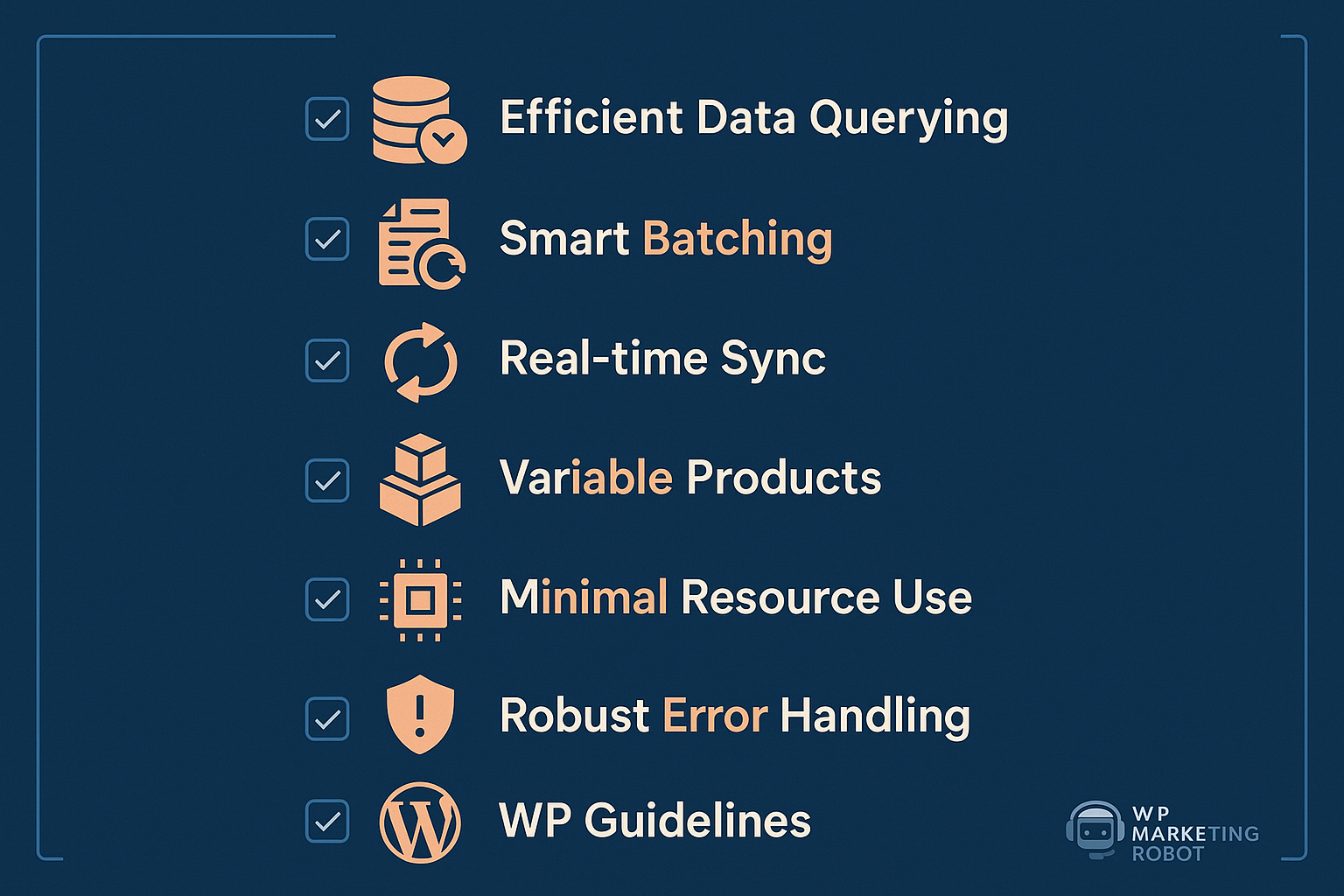
The Reliability Checklist: 7 Factors Your Product Feed Plugin MUST Have for Scale

When evaluating solutions for high-SKU environments, go beyond feature lists. Focus on these critical factors that dictate true performance and reliability:

Factor 1: Efficient Data Querying & Processing

A top-tier plugin interacts with your WooCommerce database carefully. It shouldn’t just fetch all product data each time; it should fetch only what’s relevant and do so using optimized queries. Look for evidence of specific architectural choices that prioritize lean data retrieval. This is crucial as database overload is a common pain point for WooCommerce stores with 10,000+ SKUs.

Factor 2: Smart Batching & Background Jobs

As discussed, this is non-negotiable. The plugin must split large exports into smaller batches processed in the background. Does it offer configurable batch sizes? Does it use asynchronous processing to prevent frontend slowdowns? This protects against timeouts and ensures feeds are always generated, even if it takes a bit longer. The best plugins can generate feeds for 10,000+ products in minutes, not hours, using this approach.

Factor 3: Real-time (or Near Real-time) Sync Capabilities

For dynamic catalogs, especially in dropshipping, outdated product data is a sales killer. Your plugin needs robust, automated update scheduling. Can it update your feeds multiple times a day or even trigger updates on specific product changes? This ensures pricing, stock, and product details on advertising channels are always accurate, reducing disapproval rates.

Factor 4: Optimized for Variable Products

Variable products are complex. A good plugin efficiently handles parent-child relationships, custom attributes, and variations without creating bloat or performance bottlenecks. It should allow you to flexibly include or exclude variations and map their specific attributes correctly without manual intervention.

Factor 5: Minimal Server Resource Consumption

This comes down to clean code and adherence to WordPress best practices. A plugin that respects core WordPress and WooCommerce functionality will avoid conflicts and unnecessary resource drains. This directly impacts your site’s overall speed and responsiveness, not just during feed generation.

Factor 6: Robust Error Handling & Diagnostics

Things can go wrong. A reliable plugin provides clear error logs, immediate notifications for failed feed generations, and intelligent diagnostics that point to the root cause. This allows for proactive rather than reactive management of your product feeds.

Factor 7: Adherence to WordPress & WooCommerce Best Practices

Finally, a plugin built with clean code, following WordPress and WooCommerce development guidelines, is inherently more stable and performs better. It reduces the chance of conflicts with other plugins or themes, contributing to overall site health and speed. This is not just a coding standard; it’s a performance guarantee.

WP Marketing Robot: Engineered for Your Scale Without the Crash

At WP Marketing Robot, we understood these challenges from the outset. Our WooCommerce Product Feed Manager wasn’t developed as an afterthought; it was born in 2016 from a direct need identified by online marketing specialists struggling to provide accurate and reliable product feeds for their high-volume WooCommerce clients. Our mission is to empower WooCommerce merchants by ensuring their products not only appear across various e-commerce channels but also stand out effectively and reliably.

Our plugin is purpose-built to tackle the demands of large product catalogs. When we say “unlimited products” in all our plans, we mean it in terms of performance. Here’s how:

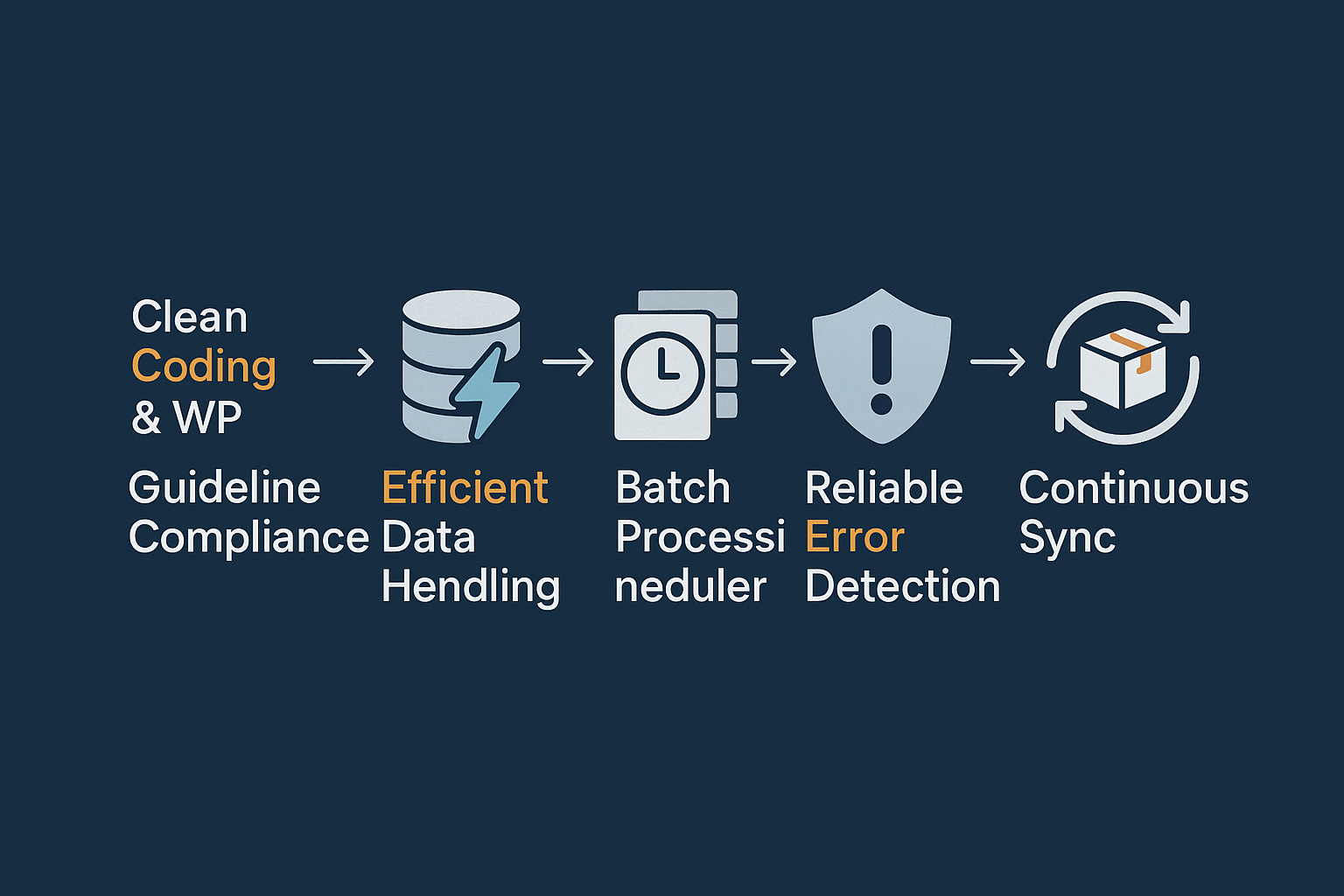
  • Clean Coding & WordPress Guidelines: This is foundational for us. We pride ourselves on adhering to strict WooCommerce and WordPress development standards. This commitment to clean, efficient code directly translates into minimal server resource consumption (Factor 5). Our plugin won’t conflict with your other essential tools or cause undue strain on your hosting environment.
  • Efficient Data Handling: We’ve engineered our plugin for efficient data querying and processing (Factor 1). It intelligently interacts with your WooCommerce database to retrieve necessary product information without overtaxing your server. This careful approach prevents database overload, a common pitfall for large stores.
  • Smart Batching & Background Processing: The WooCommerce Product Feed Manager incorporates smart batching and background job execution (Factor 2). This means even if you have 50,000 SKUs, the feed generation process is broken into smaller chunks and processed in the background. This method prevents timeouts and memory limits, ensuring consistent, reliable feed generation no matter the size of your inventory. This is the mechanism that allows for managing “massive inventory” mentioned in our complete guide to WooCommerce product feed management.
  • Dedicated to Variable Products: Our plugin is optimized specifically for variable products (Factor 4). We provide granular control over how your product variations are included or excluded, ensuring accuracy and preventing unnecessary bloat in your feeds.
  • Automated Updates & Reliability: Our focus on automated updates ensures your feeds are always current, supporting real-time data sync (Factor 3). This reliability is why merchants like Dae Gomes, a dropshipper with “a bunch of products,” found our plugin “fantastic” and “so easily” handled by their large catalog, citing its seamless operation. Another user, Paul Schiretz, has used our plugin for two years without “any serious issue,” highlighting its consistent performance.

Our commitment is to be a partner in your e-commerce success. The positive testimonials from our 10,000+ merchants underscore this, consistently praising our plugin’s functionality, regular updates, and quick customer support. We’re not just selling a tool; we’re providing a robust, scalable solution backed by expertise. Read more about how our solution compares to others in the market in our detailed WooCommerce Feed Manager features comparison.

Beyond Performance: A Wider Look at WP Marketing Robot’s Advantages

While performance and reliability are paramount for large catalogs, they are only part of the story. WP Marketing Robot provides a comprehensive suite of features designed to maximize your product visibility and sales:

  • Advanced Filtering & Smart Attribute Manipulation: Go beyond basic exports. Tailor product visibility and refine attributes with intelligent conditions to meet the exact requirements of each advertising channel.
  • Multi-Language & Multi-Currency Support: Expand your global reach with ease, ensuring your product feeds resonate with international audiences.
  • Custom Templates & Seamless Mapping: Whether you need XML, CSV, or another format, our custom templates and intuitive category/attribute mapping ensure your products are perfectly presented.
  • Expert Support: Our team offers unparalleled expertise in online marketing, helping you optimize your feeds for maximum impact.
  • Consistent Updates for Feed Validation: We regularly update our plugin to stay ahead of channel requirements, ensuring your feeds are always optimized and compliant.

These features, combined with our core performance capabilities, ensure that your large, dynamic product catalog isn’t just exported, it’s optimized for success.

Choosing Your Path to Scalable Product Feeds

Evaluating a product feed plugin for a large WooCommerce catalog requires a strategic approach. It’s about looking beyond the surface-level claims of “unlimited products” and focusing on the underlying architecture and proven performance.

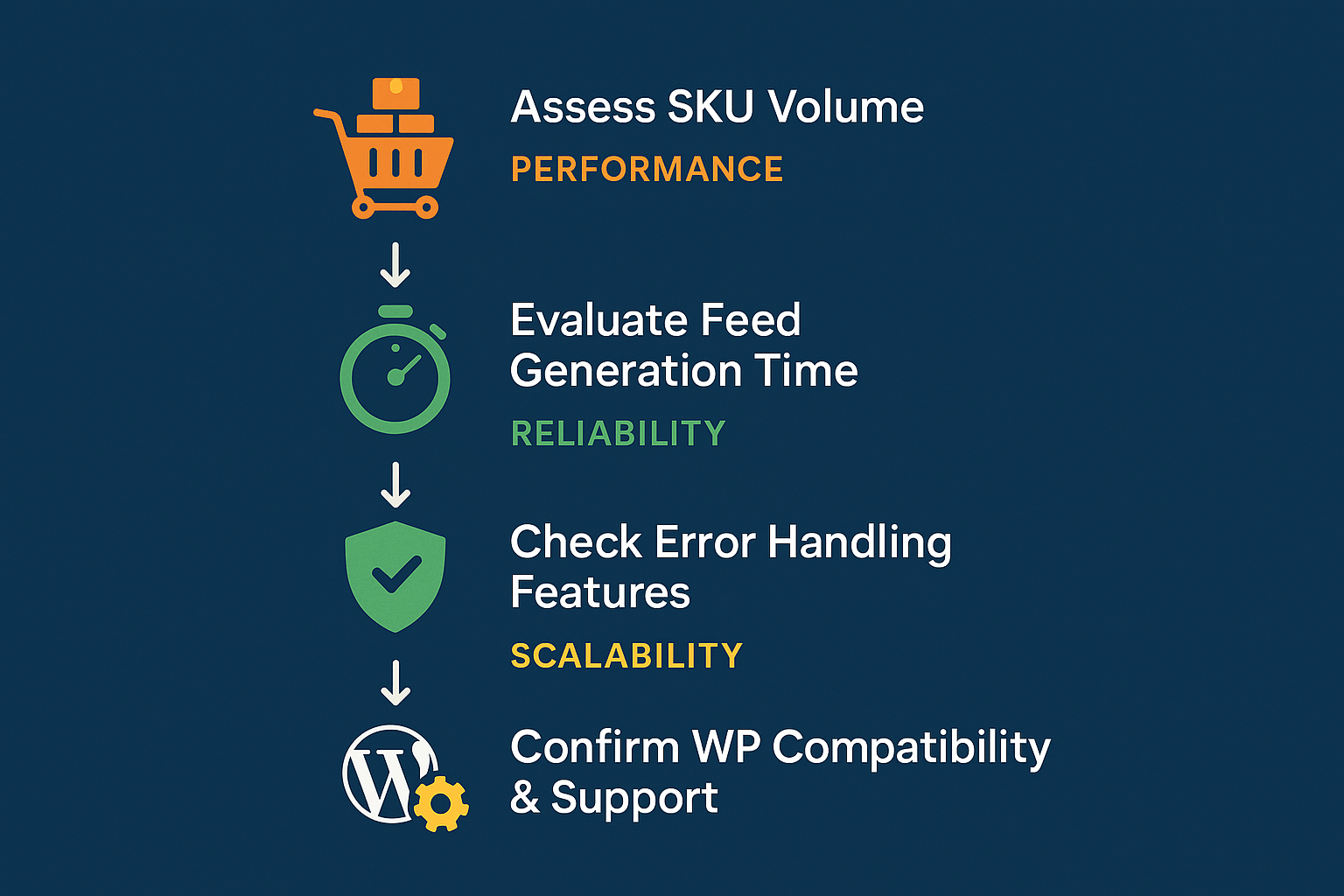
When making your decision, ask yourself:

  1. Does the plugin explicitly detail its batch processing capabilities for large exports?
  2. How does it manage server resources during feed generation?
  3. Does it offer robust, flexible automation to keep my dynamic inventory up-to-date?
  4. Is there a track record of reliable performance and continuous updates for high-SKU users?

We invite you to explore the WooCommerce Product Feed Manager by WP Marketing Robot. Our design philosophy centers on precision, experience, and partnership, ensuring you receive a solution that truly scales with your business. For a deeper dive into how our plugin works, visit our explanation of what WooCommerce Feed Export is and find the perfect plan for your store.

Ready to take control of your large product feeds without the fear of crashing? Discover how WP Marketing Robot can be your trusted partner for scalable, reliable product feed management.

FAQs

Q: My WooCommerce store has over 20,000 SKUs. How long would it take for the WP Marketing Robot plugin to generate a feed?

A: The exact time can vary depending on your server specifications, the complexity of your products (e.g., many variations), and the number of attributes. However, thanks to our smart batch processing and background job execution, our plugin is designed to handle such large catalogs efficiently, preventing timeouts that typically plague other plugins. While some claim 10,000+ products in under 5 minutes, our focus is on completing the feed reliably and without crashing your site, even if it means it takes a bit longer than an unoptimized, crash-prone attempt.

Q: What typically causes WooCommerce feed plugins to crash with a large number of products?

A: The most common culprits are PHP memory limits and script execution timeouts. When a plugin tries to process too much data at once, it consumes excessive memory or takes too long, causing the server to terminate the process. Inefficient database queries and a lack of proper batching mechanisms also contribute significantly to instability and crashes.

Q: Does WP Marketing Robot offer any specific features for dropshipping stores with rapidly changing inventory?

A: Absolutely. Our plugin’s automated update scheduling is crucial for dropshippers (Factor 3). You can set your feeds to update at frequent intervals, ensuring that product availability, pricing, and other critical details remain accurate across all your advertising channels. This minimizes the risk of disapproval and prevents customers from seeing outdated information, and reduces effort compared to manual management.

Q: What kind of server resources are recommended for running WP Marketing Robot with a high-SKU store?

A: While our plugin is built for efficiency and minimal resource consumption (Factor 5), a high-SKU WooCommerce store itself demands robust hosting. We generally recommend a dedicated server or a high-performance VPS with ample RAM (at least 4GB, preferably more), sufficient CPU cores, and an optimized MySQL setup. This ensures smooth operation for both your WooCommerce store and the feed generation process. Our plugin aims to reduce the load your feed generation places on these resources, but a solid foundation is always beneficial.

Q: How does WP Marketing Robot handle product variations for large catalogs?

A: We’ve optimized our plugin specifically for variable products (Factor 4). You have granular control over whether to include parent products, all variations, or specific variations in your feed. Our mapping tools allow you to accurately map attributes for each variation, ensuring that complex product structures are correctly represented in your feeds without bloating the file or slowing down generation.

Q: What if I encounter an issue with my large feed? What kind of support does WP Marketing Robot offer?

A: Our commitment to partnership includes expert support. Gertjan van den Berg praised our “quick response to all questions I have asked.” If you encounter any issues, our team of online marketing specialists is available to provide guidance and troubleshoot. Our plugin also includes robust error handling to help diagnose common problems efficiently. We see ourselves as your partner, ensuring your feeds run smoothly. For more insights and tips, check out our weblog or read the Documentation

WooCommerce Feed Update Intervals: Automated Schedules vs. Manual Clicks – What Real Reliability Looks Like

You are currently comparing WooCommerce product feed solutions. You’ve noticed that every plugin promises “automation,” but buried beneath the marketing jargon lies a critical difference: the technical methodology behind those updates.

Your job isn’t just to choose a tool; it’s to choose the least operationally burdensome and most financially reliable process.

This guide will move beyond feature lists to provide a transparent, data-driven framework for evaluating stability. We will show you why relying on manual clicks or low-tier “automated” solutions introduces risks far exceeding the cost of true automation, demonstrating what separates a feature that is merely ‘automatic’ from one that is genuinely reliable.

Phase 1: The Trap of Manual Updates (The Pain Point)

Many store owners start with the deceptively simple solution: a manual export followed by an upload to Google Merchant Center or Facebook Catalog. Others rely on basic plugins that require someone to physically push a button daily or hourly. This approach is not a solution; it’s an operational trap.

The moment you rely on manual intervention—or intermittent automation—you introduce three severe, often hidden, costs to your business.

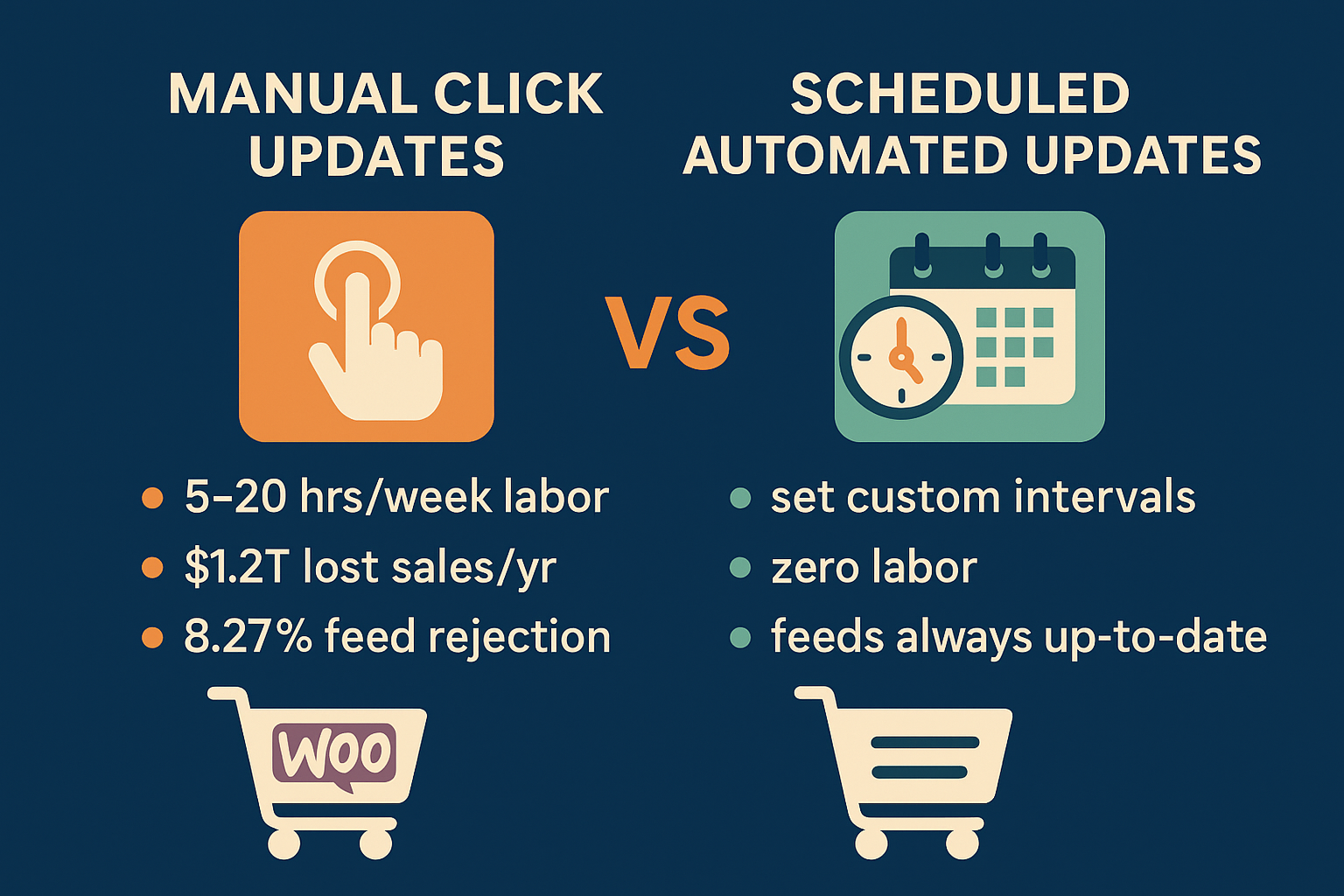
manual updates versus scheduled updates

The Hidden Cost of Labor: Manual Clicks and Wasted Time

Consider the time spent generating, validating, and uploading feeds across multiple channels.

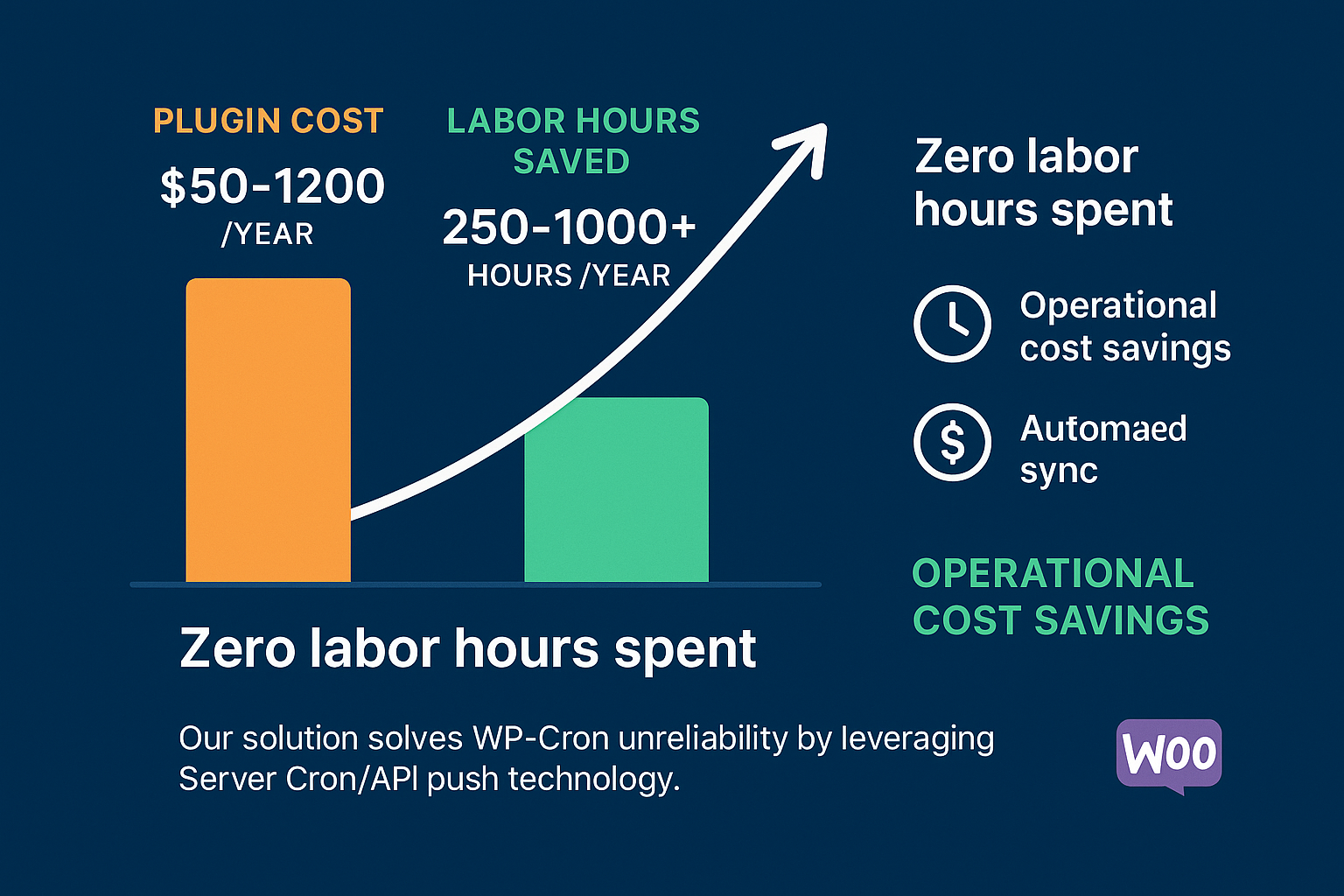
For a modest to large WooCommerce catalog, manual management quickly consumes significant staff time. Our research indicates that manual updates require 5 to 20+ hours per week of dedicated labor. These are hours that could be spent optimizing ad copy, managing inventory, or enhancing customer experience. Even if you value your time conservatively, true automation, which costs ~$50–$120 annually for a robust solution, is recouped in lost labor costs almost immediately.

The Hidden Cost of Financial Risk: Stale Data

Manual updates create periods of vulnerability. What happens if a popular item sells out between your 9 a.m. update and your 1 p.m. manual run?

When product feeds contain stale inventory or pricing data, search engines and marketplaces display inaccurate ads to your customers. This leads directly to two outcomes, both disastrous for customer experience and your bottom line:

  1. Stockouts: A customer clicks an ad for an out-of-stock item. You’ve paid for the click, annoyed the customer, and lost the sale. Globally, stale inventory data contributes to over $1.2 trillion in annual lost sales. Stockouts alone are responsible for up to 20% of online cart abandonments.
  2. Price Mismatches: If the price in your feed is lower than the price on your site, you might incur unexpected costs; if it’s higher, you deter the buyer and risk losing trust.

The Hidden Cost of Channel Disapproval and Suspension

Marketplaces like Google Shopping and Amazon impose strict freshness requirements. When your feed is manually updated, there’s a higher chance of technical errors, missing attributes, or synchronization issues because of the repeated manual touchpoints.

WooCommerce stores exporting product feeds face an estimated 8.27% rejection rate on Google Merchant Center (GMC), which is significantly higher than other platforms. Common rejection causes—such as shipping errors (23.49%) and missing attributes (5.53%)—are exacerbated by unreliable, infrequent feed generation.

Reliable automation, driven by expert systems like those we design at WP Marketing Robot, addresses these core issues in attribute mapping and data validation before the feed even leaves your server, drastically reducing the risk of costly rejections and suspensions.

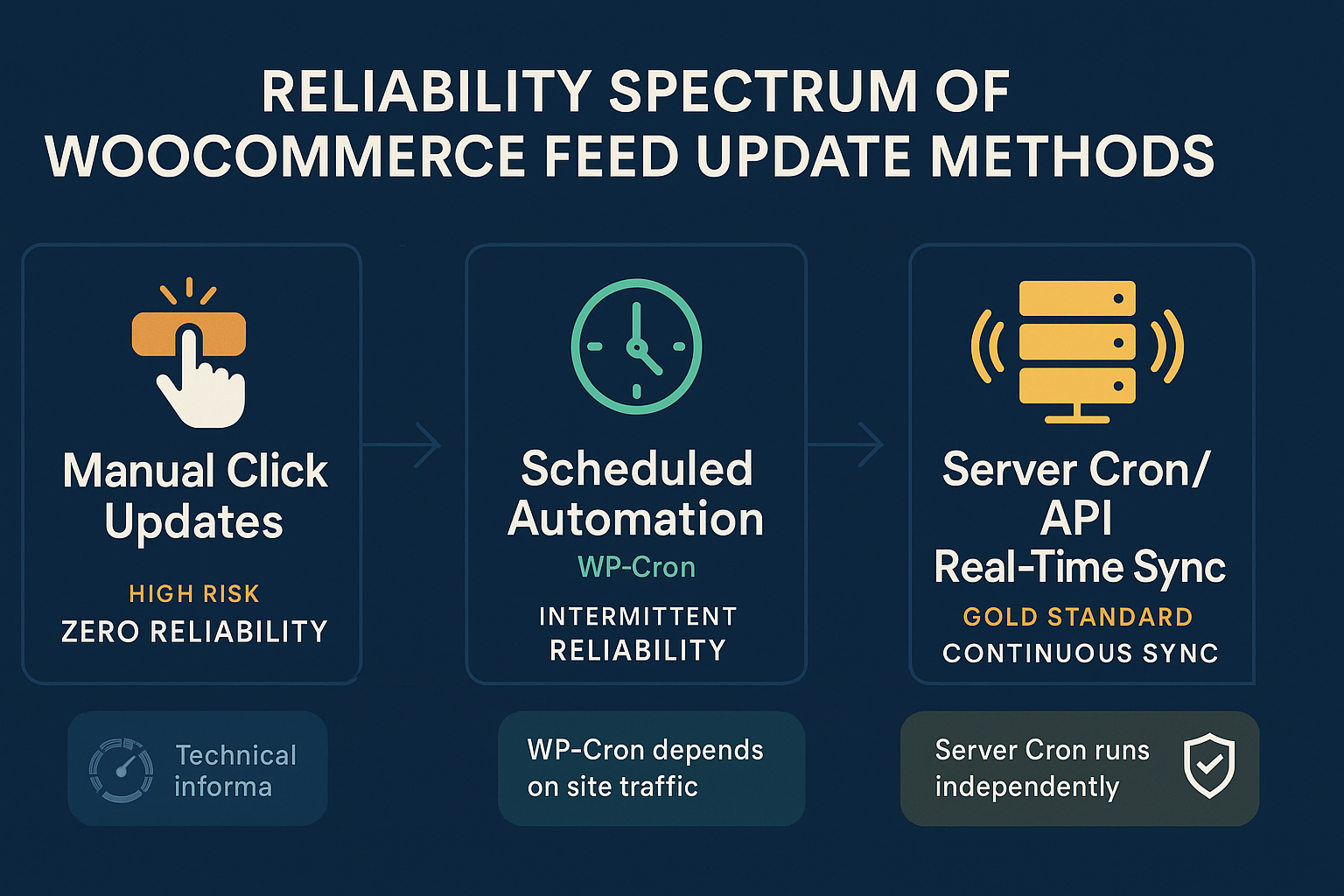
Phase 2: The Reliability Spectrum (The Technical Differentiator)

When evaluating solutions, you need to understand that not all “automatic updates” are created equal. You must ask: How is the plugin scheduled to run?

There is a reliability spectrum that defines the true operational overhead of your chosen solution.

reliability spectrum of woocommerce feed update methods

Level 1: The Manual Click (Maximum Risk)

Requires human action to initiate feed generation. Reliability hinges entirely upon human memory and availability. Any delay equals stale data.

Level 2: Scheduled Automation (The WP-Cron Problem)

Most free or basic WooCommerce plugins utilize WP-Cron for scheduling. This is a crucial technical detail.

WP-Cron is not a true system-level cron job. It is an internal function that only executes when someone visits your WordPress website.

  • High-Traffic Site: If your site has consistent traffic, WP-Cron might run frequently enough to approximate the desired synchronization interval.
  • Low-Traffic Site: If you experience periods of low traffic (e.g., overnight, weekends), the scheduled update is missed until the next website visitor arrives.

This dependency on external traffic makes WP-Cron-based automation inherently unreliable, particularly for stores with significant inventory flux or those aiming for true set-it-and-forget-it functionality. This is the bottleneck for reliability.

Level 3: The Gold Standard: Server Cron and Event-Based Sync (True Reliability)

True reliability is achieved through server-level scheduling, independent of website traffic.

For our primary product, the WooCommerce Product Feed Manager, we ensure updates are handled by reliable mechanisms, preventing the WP-Cron reliability drift. This is what you should look for:

  1. Server Cron: The ability to configure a system-level cron job that executes at the exact interval you define (e.g., every 30 minutes) regardless of who is visiting your site. Your feed runs exactly when it should.
  2. Event-Based Synchronization: Even better than strict time intervals is an event-based approach. The plugin detects a true change in your product data, like an inventory decrease or a price change, and automatically triggers the necessary update structure.

This sophisticated approach, built on the principles of precision and experience that guide WP Marketing Robot, guarantees that when you update your WooCommerce product, that change is automatically synced across all channels without monitoring overhead—it only takes one place to edit.

Phase 3: The ROI of True Automation (The Solution)

Switching from high-risk manual or unreliable WP-Cron updates to a professionally developed, server-cron-based solution is an operational necessity, not an optional expense.

The return on investment (ROI) is staggering when factoring in labor saved and risk mitigated.

The Quantifiable Savings

If a single manual update task requires 30 minutes daily (a conservative estimate for multi-channel management), you are spending approximately 10 hours per month on repetitive, high-risk work. Annualized, that’s 120 hours.

If your labor cost is $25/hour (low end), you are spending $3,000 annually just to manually maintain feeds.

The annual cost of our robust, multi-channel Ecommerce Plan is €99.

$$\text{Manual Labor Cost } (\sim €3,000) \gg \text{Reliable Automation Cost } (€99)$$

The solution enables you to eliminate 250 to over 1,000 labor hours per year (depending on catalog size) while virtually eliminating the financial risk of stale data and greatly reducing the risk of a GMC suspension. That’s the real meaning of partnership in eCommerce success.

Next Steps: Decision framework for the MOFU user

You are no longer looking for a plugin that claims to update automatically. You are looking for a solution that guarantees operational reliability.

When concluding your evaluation, use this framework to assess whether a product feed solution meets your needs:

Scenario Recommended Update Strategy Why It’s Necessary
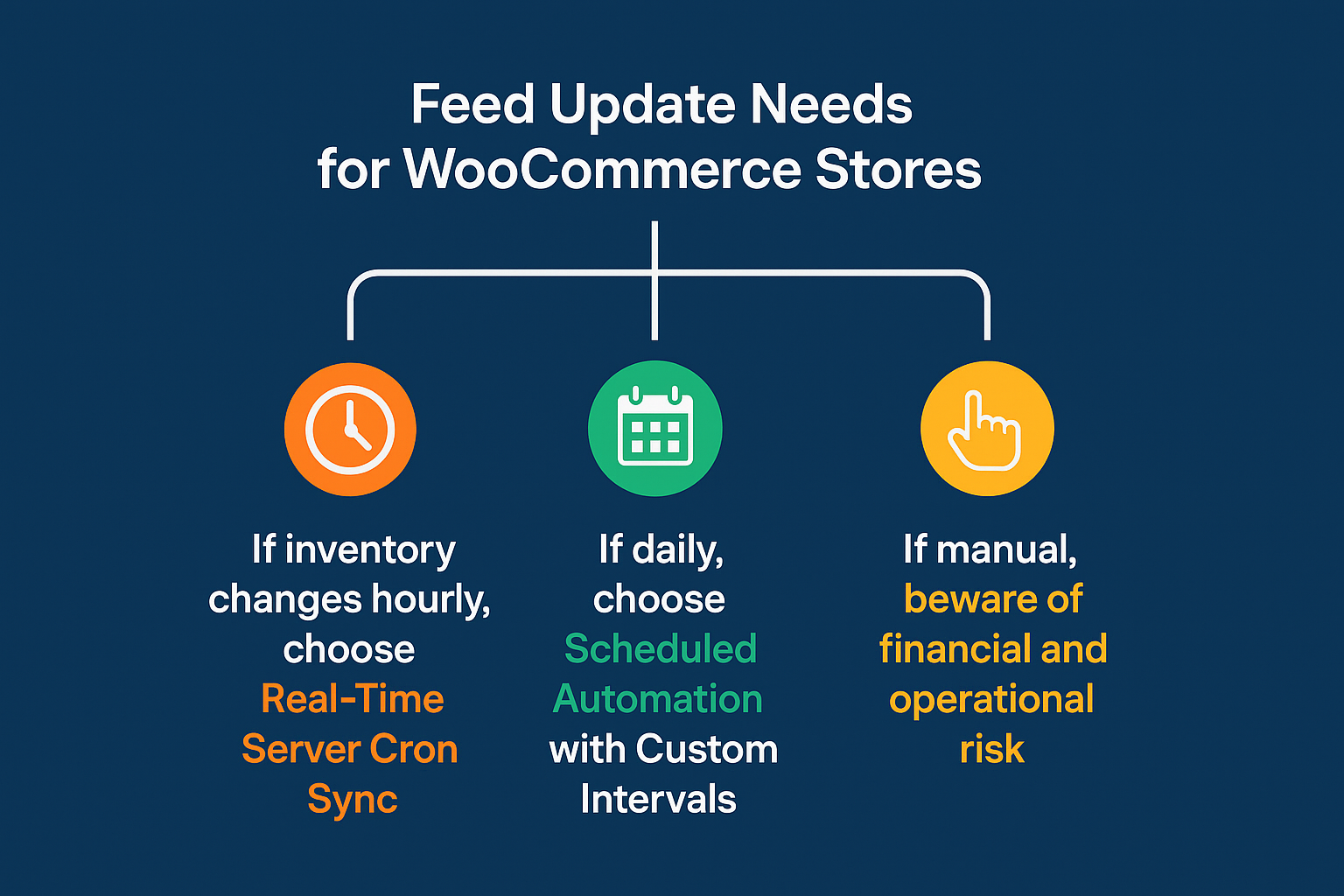
Volatile Inventory (Dropshipping, limited stock, flash sales) Server Cron / Event-Based Sync (Every 15-60 min) Eliminates stockout risk (the $1.2T problem) and maximizes fresh data performance.
Stable Catalog (Custom products, low stock turnover) Scheduled Automation (Server Cron based) (Daily or Twice Daily) Maintains compliance and handles price changes without requiring manual intervention.
High Labor Cost (Paying employees high wages for data entry) True Automation Immediate ROI by saving hundreds of labor hours annually, offsetting the plugin cost instantly.
Multi-Channel Presence (Google, Facebook, Amazon, etc.) True Automation Ensures consistency and manages unique data requirements across different channels from one central location.

The Power of One

A truly effective feed manager empowers you to make changes in one place—your WooCommerce product dashboard—and know that the required feed updates follow automatically, reliably, and compliantly across all your critical sales channels.

If you are looking to define a process that is genuinely set-it-and-forget-it, you need a technical foundation that moves beyond the unreliable nature of WP-Cron and manual clicks. You need a trusted partner whose tools are engineered for precision and experience.

Ready to reduce your operational risk and automate your product feed management with guaranteed reliability? Explore our plans and features today.

Evaluation Criteria FAQ

Q1: Can’t I just increase my WP-Cron frequency to make it reliable?

A: While you can attempt to reduce the delay by manipulating the WP-Cron interval, you cannot eliminate the fundamental flaw: WP-Cron still requires a page visit to fire. If your site has a few minutes of zero traffic, the scheduled update will be arbitrarily delayed. For critical synchronization tasks, Server Cron offers the deterministic timing necessary for true reliability.

Q2: What if my hosting provider doesn’t allow Server Cron access?

A: This is a common challenge for merchants using shared hosting. A reliable plugin, like the WooCommerce Product Feed Manager, should offer built-in, secondary scheduling options that intelligently mitigate the risks associated with dependency on passive traffic. However, for maximum performance and reliability, we always recommend utilizing robust hosting that supports standard cron jobs.

Q3: How does multi-language and multi-currency support affect update reliability?

A: It significantly increases the complexity and the risk of manual error. Each language and currency often requires its own dedicated feed, effectively multiplying the workload. With a reliable, specialized plugin, the system handles the creation and segregation of these feeds automatically based on your language/currency settings, significantly decreasing the risk of cross-feed errors inherent in multi-language and multi-currency environments. Manual management of these varied feeds is a recipe for high rejection rates.

Q4: Does reliable automation mean my feed is being updated constantly?

A: Reliability means it updates when it is scheduled to update. Constant updating is often unnecessary and can strain resources. A good solution allows you to set the custom update interval (e.g., hourly, every 3 hours, daily) based on your specific inventory volatility. For high-volume stores, hourly updates via Server Cron provide the perfect balance between risk mitigation and server performance.

Why Conditional Attribute Filtering Is Non-Negotiable: Assessing Plugin Capabilities for Smart Product Attribute Manipulation

If you’re reading this, you’ve moved past the easy stage. You already know you need to export your WooCommerce products to Google, Facebook, and other major shopping channels. The decision is no longer if you need a product feed plugin, but which one gives you the surgical control required to transform that data into genuine profit.

The key differentiator isn’t raw export speed, it’s conditional filtering and smart attribute manipulation.

Most basic tools promise to get your catalog online. Elite tools, like the WooCommerce Product Feed Manager, promise to protect your ad budget, maximize your margins, and automatically optimize your listings to secure a competitive edge.

This guide is designed for the savvy merchant who understands that a product feed is the foundation of their advertising spend. We will position advanced filtering not as a nice-to-have feature, but as the mandatory mechanism for securing financial and marketing control, moving your evaluation from simple export to strategic profit maximization.

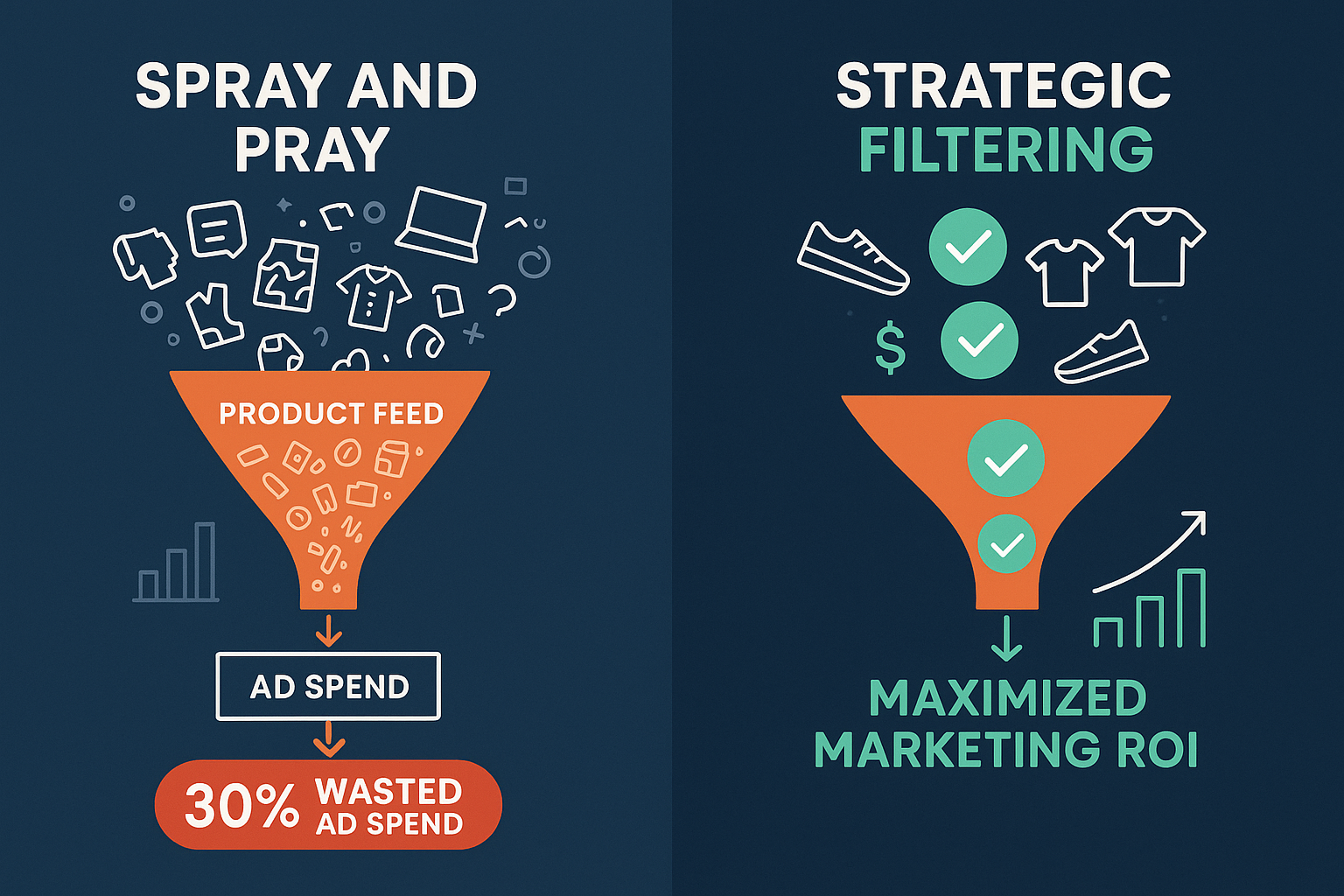
The Crisis of the Unfiltered Feed: Why “Spray and Pray” Fails

When you use a basic, unfiltered export, you’re adopting a dangerous marketing strategy: “spray and pray.” You blast your entire product catalog, every SKU, every variant, regardless of stock, profit, or performance, onto expensive ad platforms.

This manual, full-catalog approach is the number one cause of silent profit leakage in e-commerce.

Think about it:

  • You waste money on low-margin products: Are you paying a high CPC to advertise an item that gives you only a 5% margin?
  • You frustrate customers and Google: Are you showing ads for products that just went out of stock, leading to wasted clicks and negative quality scores?
  • You risk disapproval: Are you sending data to Google Merchant Center that is missing crucial attributes like GTINs or MPNs, leading to rejections?

Why "Spray and Pray" Fails

WebToffee points out that, “Sending your entire catalog to ad channels wastes budget and lowers performance.” The financial pain point hidden in simple technical errors is massive. If you are spending €1,000 on clicks and 20% of those clicks target products that are low-margin or out-of-stock, you are instantly leaking €200 of your budget, every day.

The evaluation tipping point for an elite merchant isn’t, “Can I export data?” It’s, “Can I use this plugin to control which products generate profit and which products drain my budget?”

Decoding Conditional Logic: The Mechanism of Financial Control

Advanced filtering, or conditional logic, is the difference between a simple data dump and a profitable marketing strategy. It allows you to define flexible rules for how, when, and where your product data appears.

Conditional logic operates on straightforward rules: IF a condition is met, THEN execute an action.

Strategic vs. Basic Filtering

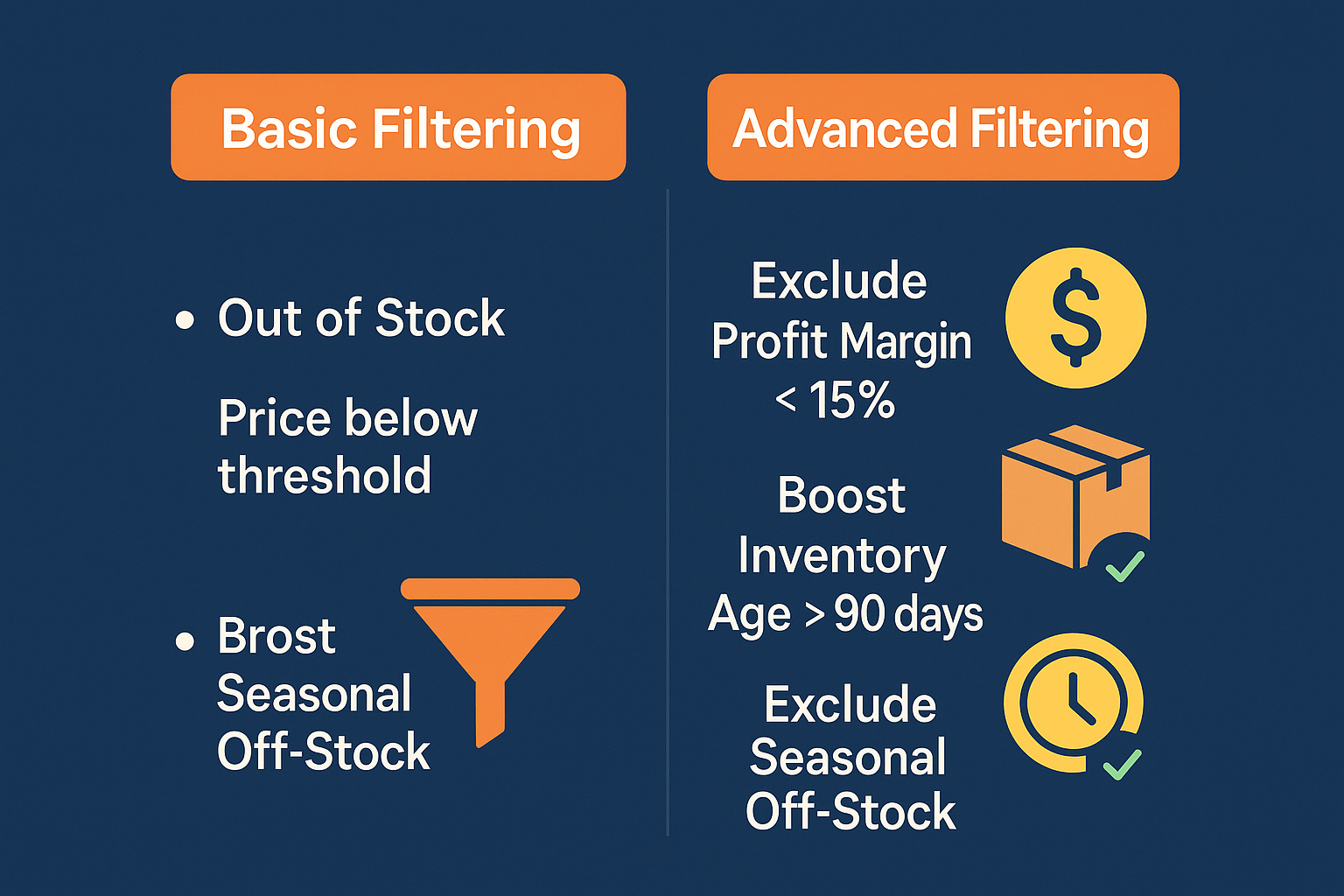
Many plugins offer basic filtering, the ability to exclude products below a certain price or those that are out of stock. Strategic filtering, which is the core strength of WooCommerce Product Feed Manager, goes significantly deeper, allowing for nuance that directly impacts your gross margin and Customer Acquisition Cost (CAC).

Strategy Level Objective Basic Filtering Rule (Limited Control) Advanced Conditional Rule (Profit-Driven)
Profit Protection Eliminate wasted spend on unprofitable items. EXCLUDE products that are “Out of Stock.” IF Profit Margin is less than 15% AND Total Stock is below 5 THEN EXCLUDE.
Inventory Management Rapidly liquidate aging or excess inventory. Filter products by a specific Category. IF Inventory Age is greater than 90 days AND Stock Quantity is greater than 50 THEN APPEND “Clearance Sale” to the Product Title.
Compliance & Conversion Ensure listings are complete and compliant across channels. Set one global value for Condition (e.g., ‘new’). IF Category is ‘Apparel’ AND GTIN is empty THEN SET Identifier Exists to FALSE and EXCLUDE from Facebook.

Basic filtering vs Advanced filtering

This table illustrates the necessity of our Advanced Filtering UVP. Simple solutions provide exclusion; strategic solutions provide conditional manipulation that directly aids in business objectives, like inventory turnover and margin protection.

How Smart Attribute Manipulation Protects Your ROI

Strategic Smart Attribute Manipulation means you don’t just exclude bad products; you actively modify high-potential products to perform better.

For example, our plugin allows you to automatically adjust product titles based on specific performance criteria. This is crucial because ad platforms often use attributes like the product title, description, and category to determine relevance and display ranking.

A common application is ensuring optimal visibility during sales periods. You can establish a rule such as:

IF Product is in the “Holiday Sale” category THEN PREPEND the text “SAVE 20% – ” to the existing Product Title.

This leverages conditional logic to increase CTR (Click-Through Rate) during critical windows without requiring manual changes in WooCommerce, ensuring your feed is always sending the hyper-optimized data the channel requires.

Case Study Dissection: Conditional Logic as the ROI Engine

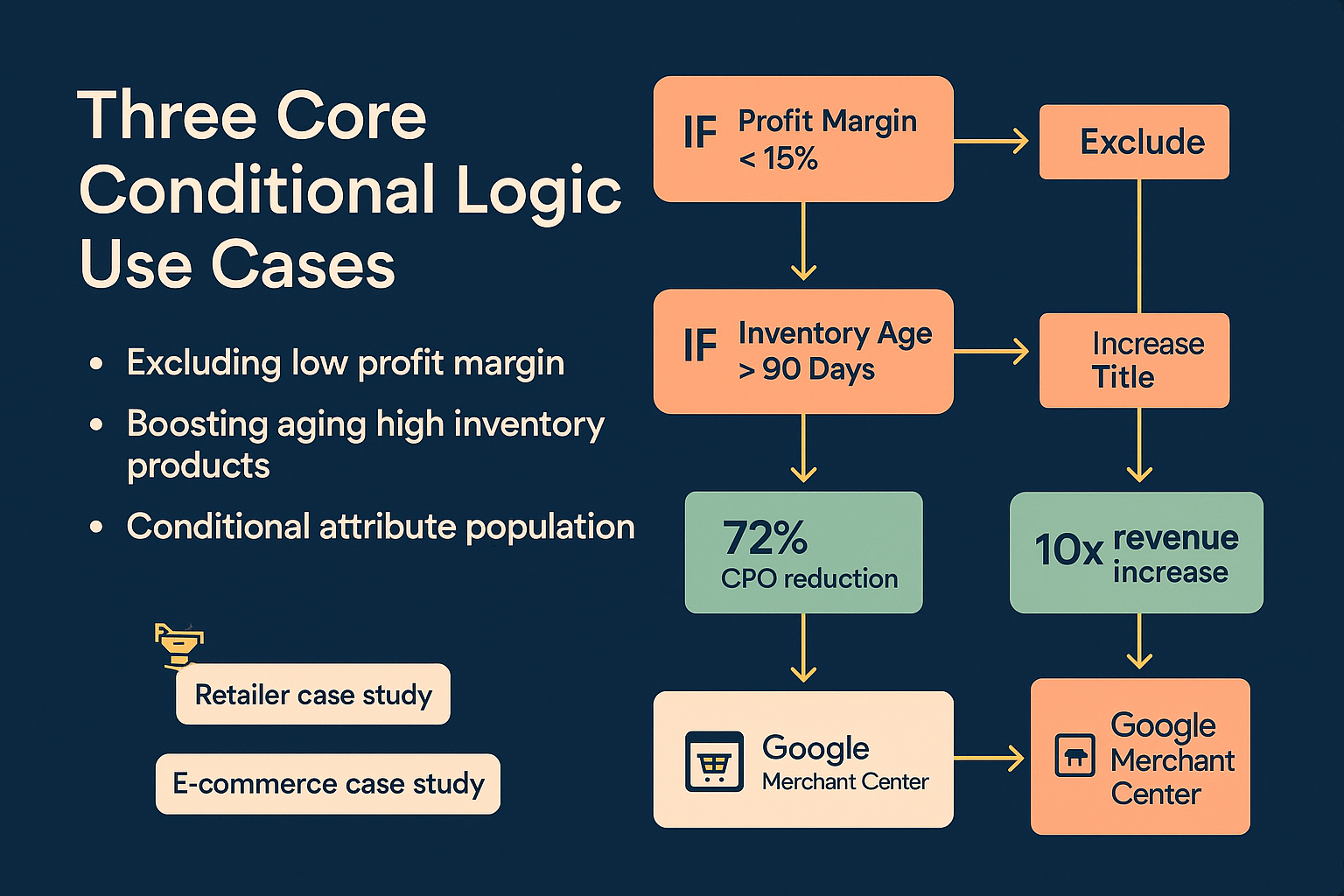
Leading product feed platforms consistently demonstrate that success metrics like a 72% decrease in CPO (Cost Per Order) and achieving a tenfold revenue increase are reliant on surgical data manipulation. The key takeaway from these results isn’t just about having “clean data,” but having strategically segmented and manipulated data.

We believe that leveraging our advanced filtering features is the technological driver behind these high-level results.

Here are three focused use cases where conditional logic moves from a technical feature to a powerful profit lever:

Use Case 1: Maxing Profit Margins and Eliminating Wasted Spend

The simplest way to waste ad spend is to pay for clicks on items that provide minimal profit. Strategic merchants need the ability to define profitability dynamically.

The Strategy: Exclude all products whose true profit margin falls below an acceptable threshold (e.g., 20%) while also factoring in stock levels to maintain a lean, high-performing feed.

Tool Feature Conditional Rule Outcome
Advanced Filtering IF Custom Profit Field < 20% OR IF Custom Profit Field is empty THEN Exclude from Feed. Immediately redirects ad budget only to high-margin products, increasing average order value and overall margin capture.

Use Case 2: Inventory Liquidation Strategy

You have a large volume of seasonal stock (e.g., winter coats) that hasn’t moved in 90 days. You need to boost their visibility only on relevant channels (Pinterest, Facebook) and encourage an immediate sale.

The Strategy: Conditionally boost the visibility and sale appeal of aging, high-volume inventory.

Tool Feature Conditional Rule Outcome
Smart Attribute Manipulation IF Product Attribute: Season is ‘Winter’ AND IF Stock Age > 90 days THEN OVERWRITE the Description with “DEEP DISCOUNT: Must Clear Winter Inventory. Free Shipping!” Creates dynamic, localized sales campaigns via the feed, maximizing clearance rates without editing the parent product data in WooCommerce.

Use Case 3: Fixing Google Merchant Center Disapprovals (GMC)

GMC requires strict adherence to attribute rules (like GTIN or MPN) for specific product categories (especially electronics and apparel). Failure to provide these leads to costly product disapprovals and feed halts.

The Strategy: Use conditional logic to ensure only compliant products are submitted, or to correctly set the identifier_exists attribute when a required identifier is missing.

Tool Feature Conditional Rule Outcome
Seamless Category Mapping and Attribute Mapping IF Google Product Category IN (‘Apparel & Accessories’, ‘Electronics’) AND IF GTIN is empty THEN SET identifier_exists to FALSE. Maintains feed validation and compliance instantly, mitigating the risk of time-consuming manual clean-up and preventing entire ad campaigns from being blocked.

Fixing Google Merchant Center Disapprovals

This level of control ensures your traffic and sales are optimized. When you assess a plugin, if it cannot handle these three strategic use cases, it is limiting your profitability potential. This capability is why over 10,000 WooCommerce merchants rely on the WooCommerce Product Feed Manager to efficiently manage their growth.

The Anti-Competitor Play: Advanced Attribute Manipulation

The truly strategic value in a professional product feed tool lies in its ability to facilitate real competitive marketing moves, not just data compliance.

We allow our partners to run marketing experiments and dominate SERP space through our granular Smart Attribute Manipulation and Custom Templates features.

Dynamic Title Optimization

In highly competitive niches, the product title is often the most important factor for ranking and click-through rate. Basic plugins allow you to select the WooCommerce title. Our solution allows you to build a dynamic title based on conditional scenarios.

Example Scenario: You notice competitors are ranking higher for high-value keywords related to the brand AND color.

With our plugin, you can build a comprehensive title structure using multiple attributes, conditionally:

  1. IF Brand is defined THEN Add Brand Name
  2. THEN Add Product Name
  3. IF Color is defined THEN Add Color Variant
  4. IF Condition is ‘New’ THEN Add “– Free Shipping”

This process allows merchants to refine product attributes with intelligent conditions to achieve better CTR and relevance scores, effectively driving down the true cost of their paid advertising.

Excluding Problem Children SKUs Across Multiple Channels

A single SKU might perform well on Google Shopping but consistently fail to convert on Amazon because of competitive price saturation. A sophisticated feed manager grants you the control to exclude that one specific problem child across only the channels where it fails. This is a level of channel-specific optimization that basic, one-size-fits-all plugins cannot deliver.

Our Ecommerce Plan supports unlimited channels, ensuring that your customized conditional rules are applied across every platform—from minor vertical marketplaces to major global networks.

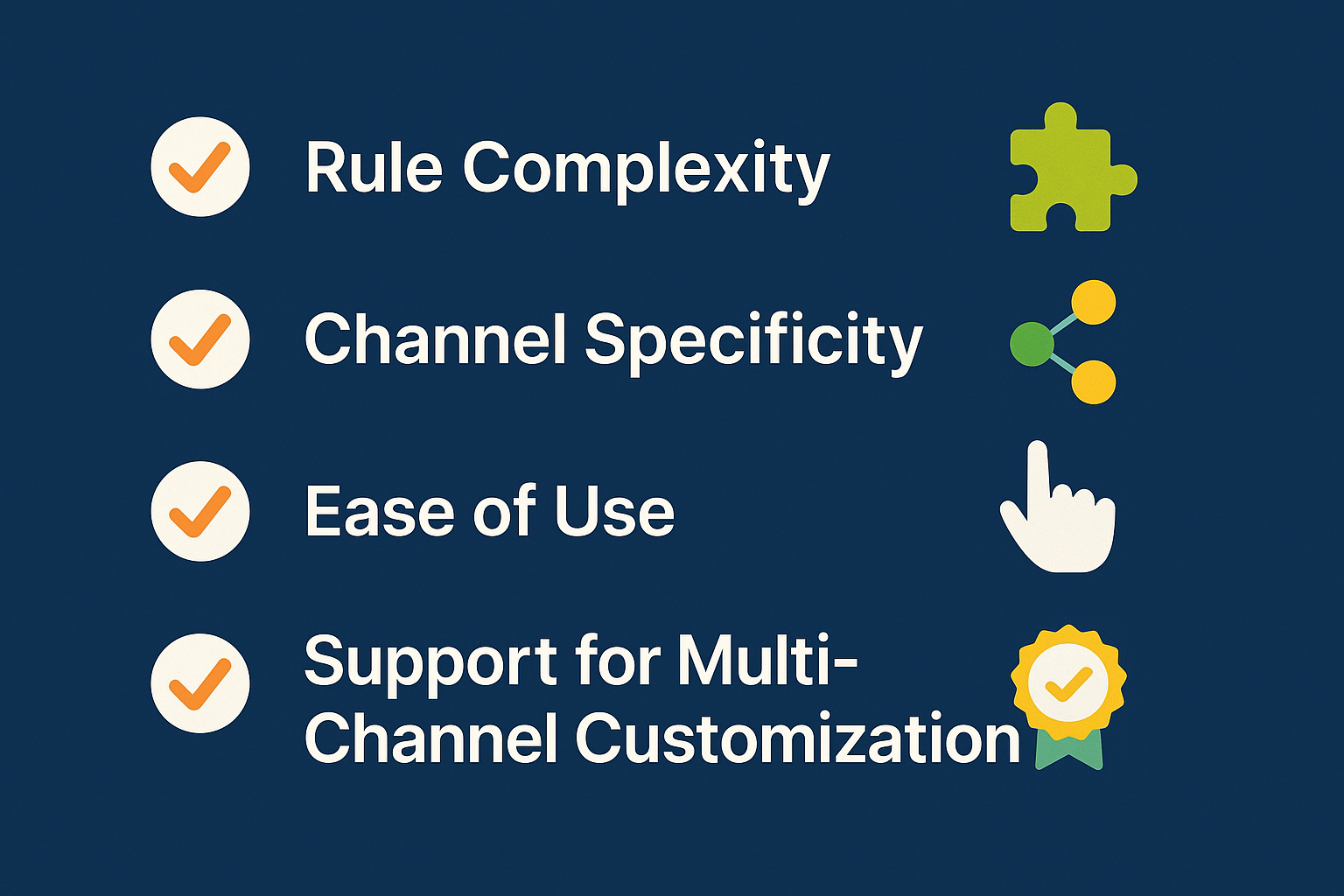
Buyer’s Criteria: Evaluation Checklist for Advanced Filtering Tools

As you finalize your plugin evaluation, you must validate that the solution meets the non-negotiable requirements for strategic control. Use this checklist as a framework when comparing solutions:

Must-Have Conditional Filtering Capabilities:

Criteria Question WP Marketing Robot Capability
Multi-Rule Complexity Can the tool handle rules using multiple interdependent conditions (e.g., IF A AND B, OR C THEN D)? Yes—Crucial for fine-tuned profit targeting.
Attribute Overwriting Can the tool change the value of an attribute conditionally, or does it only allow exclusion? Yes—Smart Attribute Manipulation is a core feature.
Multi-Channel Precision Can I apply one set of rules to Google and a different set to Facebook simultaneously? Yes—Rules are easily configured per feed and channel.
Stock and Margin Filters Does the filtering work reliably on dynamic data points like inventory quantity and calculated profit margins? Yes—Ensures real-time tactical adjustments.
Ease of Use Is the conditional logic interface intuitive (drag-and-drop builder) or code-heavy and complex? Intuitive and visual—Designed for merchant speed and precision.

core conditional logic use cases

If a plugin forces you to use broad, basic filters or requires custom code for complex conditions, it will inevitably lead to limitations on your profit maximization efforts.

Frequently Asked Questions (FAQ) for Evaluation

Q: Why is conditional logic necessary if I already filter out out-of-stock items?

Filtering out-of-stock items is basic hygiene. Conditional logic is necessary for profit optimization. For instance, you may have 10 products perpetually in stock, but they only have a 2% profit margin. Without conditional logic tied to profit fields, you will waste valuable ad spend on those 10 products, even though they are technically in stock. Conditional filtering allows you to exclude products based on margins, sales velocity, or age—metrics that directly drive ROI.

Q: Will using advanced filtering slow down my feed generation process?

A professional-grade plugin like the WooCommerce Product Feed Manager is engineered for performance. While advanced-conditional filtering is computationally heavier than a simple export, the slight increase in feed processing time is a negligible tradeoff compared to the massive financial gain realized by excluding low-performing products and avoiding wasted ad budget. We optimize feed generation to ensure speed remains acceptable, even with intricate rules.

Q: Can conditional logic help me with multi-language and multi-currency feeds?

Absolutely. Our plugin’s deep support for multi-language and multi-currency feeds often relies on conditional logic. You can set rules that say: IF the feed target language is German THEN use the German product title attribute. This ensures localization is handled seamlessly and automatically, which is vital for merchants focused on global reach.

The Cost of Inaction: Don’t Just Manage Your Feed, Dominate It

The MOFU evaluation phase is critical. You are not just choosing software; you are selecting a marketing partner. Basic tools manage your data; strategic solutions empower you to dominate the market by providing the competitive edge of advanced data control.

The financial data is clear: Wasting budget on unoptimized or low-margin clicks is the silent profit killer in e-commerce. You need a plugin that focuses the conversation on profit maximization, risk mitigation, and continuous optimization.

The Product Feed Manager for WooCommerce provides the Advanced Filtering and Smart Attribute Manipulation that allows you to surgically carve out waste, boost high-potential products, and secure full compliance—turning your product feed from a technical necessity into a strategic revenue engine.

Ready to stop leaking ad budget and start maximizing every conversion?

Reliability Metrics: How to Verify the Speed and Accuracy of Product Feed Generation (10,000+ Products Test)

You’ve scaled your WooCommerce store past the initial launch phase. Now, your product catalog is dynamic, it’s demanding, and it’s large, likely comprising 10,000 SKUs or more.

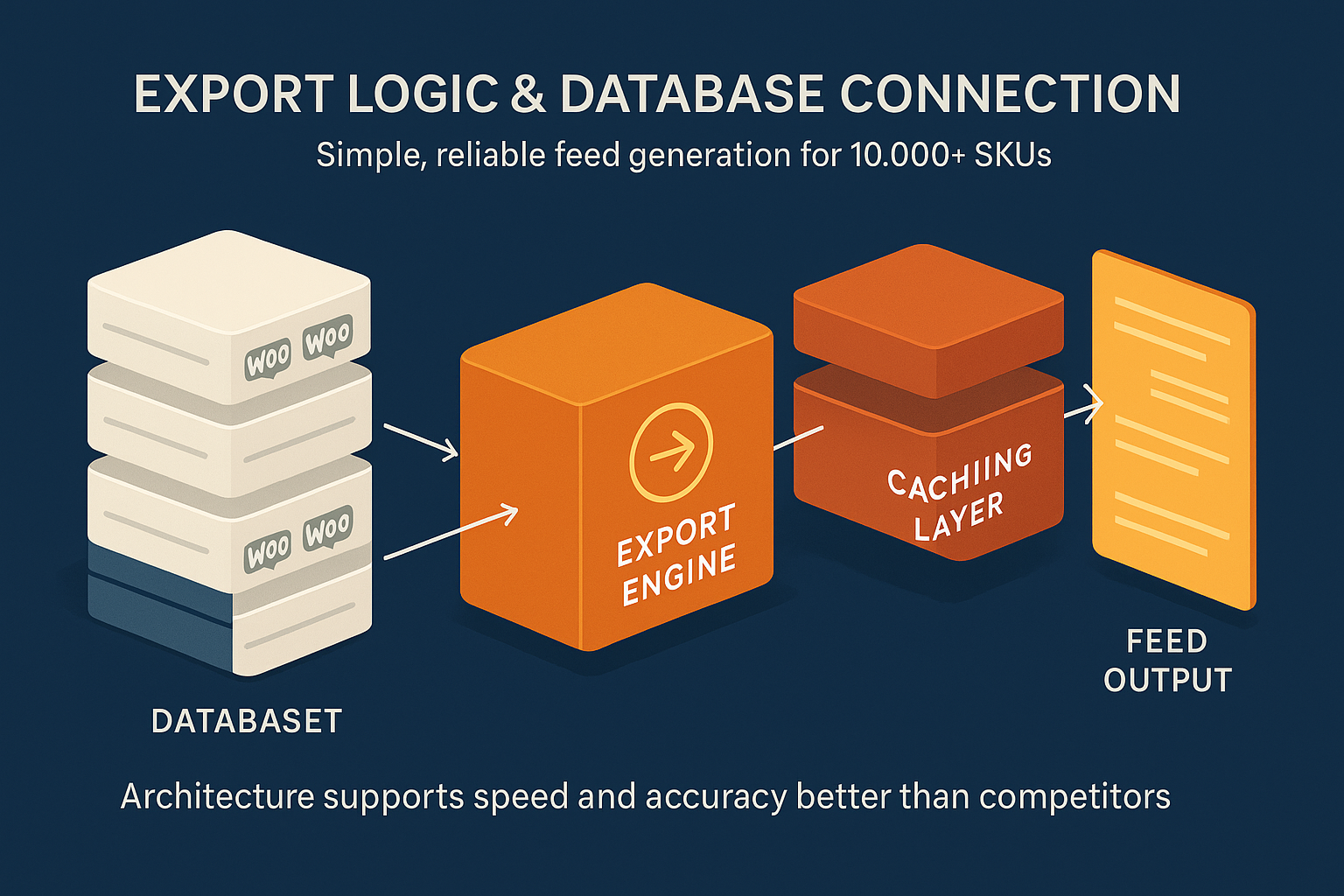
At this operational scale, the choice of a product feed manager shifts from a mere feature assessment to a critical infrastructure decision. You’re not just comparing price points; you’re comparing architectural integrity. You need to know, objectively, if a plugin can handle your volume without crashing your site or, worse, costing you millions in lost sales and penalties.

The problem, as you’ve likely found, is that every vendor claims to be fast and accurate. Our goal here is to cut through the claims and equip you with a quantifiable, repeatable methodology, a formal benchmark test, to verify competence.

We’re going to borrow principles from Data Reliability Engineering (DRE) and apply them specifically to the challenge of exporting 10,000+ products from WooCommerce. This guide will help you objectively assess the solutions you’re currently evaluating.

The High-Stakes Reality of Large-Scale Feeds

When managing high-volume feeds, minor errors translate instantly into major revenue loss. Our research shows that organizations lose an average of $15 million annually due to poor data quality, which includes errors in product feeds. For e-commerce, this means every incorrect price, missing image, or unverified attribute increases two core risks:

  1. Revenue Churn: 42% of customers abandon purchases due to insufficient or inaccurate product information, a direct hit to your conversion rates.
  2. Compliance Risk: Inaccurate or outdated feeds lead to ad disapprovals and, ultimately, Google Merchant Center suspensions.

To protect yourself, you must move beyond the vague terms of “speed” and “accuracy” and embrace the formal language of reliability.

Defining Reliability in the Context of a 10K+ Product Feed

It’s crucial to understand the distinction between three key concepts borrowed from DRE:

Concept Definition in Product Feed Management Why It Matters
Availability The feed (and the generating plugin) is accessible and operational when needed (e.g., the plugin hasn’t crashed, and the feed URL is live). Ensures your products are always accessible to channels like Google Shopping, meeting the minimum requirement for campaigning.
Reliability The feed is generated consistently and correctly every time, minimizing errors and maintaining data integrity. Prevents disapprovals, protects your Merchant Center reputation, and ensures ad spend yields returns.
Data Quality/Accuracy The data within the feed (price, availability, description, custom fields) perfectly matches the source data within your WooCommerce database. Directly impacts user experience and conversion rates. An accurate feed makes a correct sale.

A solid feed management solution must excel at all three. We will now structure a benchmark test to verify the reliability claims of any plugin under consideration, starting with the factor that often separates enterprise-ready tools from basic plugins: throughput.

Phase 1: Verifying Speed, The Performance Benchmark Test

When dealing with 10,000+ SKUs, speed is measured by throughput: how many products can the system process and export per second, without causing undue stress on your live WooCommerce site database. Slow generation means the data is already outdated the moment the feed is finished, compromising its accuracy from the start.

Key Metric: Throughput (SKUs per Second)

The primary goal of this phase is to establish the plugin’s raw export efficiency. Slow feed generation is almost always a sign of poor database query optimization and inefficient PHP processing, a bottleneck you cannot afford.

Test Setup and Methodology

To conduct a fair test, you need to simulate a challenging environment similar to your own.

  1. Database Size: Ensure your testing environment replicates your minimum of 10,000 configurable products.
  2. Server Configuration: Use comparable hardware specifications (CPU, RAM) and PHP version to your production environment.
  3. Clean Run: Before testing, clear all caches (WordPress, server, opcode) and ensure no other heavy operations (like backups or imports) are running.
  4. Measurement: End-to-End Time: Measure the time from when the feed generation process is initiated to the moment the final external file (XML, CSV, etc.) is saved and available.

Step-by-Step Measurement:

  1. Set up a new feed export containing all 10,000+ products.
  2. Use a stopwatch or server logging timestamp to record the Start Time (T-Start).
  3. Let the plugin run its generation process entirely.
  4. Record the Finish Time (T-Finish).

Formula: $$ \text{Throughput (SKUs/sec)} = \frac{\text{Total SKUs Processed}}{(\text{T-Finish} – \text{T-Start})} $$

Benchmark Target

While server-specific, a high-performance solution should aim for a significantly high throughput, often generating 10,000 standard products in a matter of seconds, depending on the complexity of attribute mapping and filtering. If a plugin takes minutes for this volume, it is signaling a performance bottleneck that will only worsen as your catalog grows.

For scaling merchants, it is essential to ask vendors about their typical throughput rates for high volumes. Solutions that rely on lightweight, proprietary logic and minimize repetitive database calls, like the technology behind the WooCommerce Product Feed Manager, consistently deliver superior rates.

Phase 2: Verifying Accuracy, The Data Integrity Audit

Speed without accuracy is a vulnerability. The fastest possible feed is useless if the product data within it doesn’t match what’s on your live site. This phase focuses on auditing the output to ensure data integrity.

Key Metrics: Error Rate and Time-to-Resolution (TTR)

The performance of any plugin should be measured against an explicit goal: a zero error rate against the source database.

  1. Error Rate (ER): The percentage of attributes in the generated feed that do not match the values in the source database or violate channel compliance rules.
  2. Time-to-Detection (TTD): The time elapsed between a data error occurring (e.g., a price update in WooCommerce) and the feed manager flagging it.
  3. Time-to-Resolution (TTR): The time required to eliminate the error and regenerate a compliant feed.

While speed is important, TTD and TTR directly impact your Merchant Center suspension risk. A plugin that quickly detects and fixes errors offers a crucial safety margin.

Validation Methodology: The Checksum Test

The most robust way to verify accuracy is to compare the data directly.

  1. Source Data Snapshot: Before generating the feed, query the WooCommerce database directly to extract the core attributes (ID, Title, Price, Description) for your 10,000 products. Save this as your Source Snapshot.
  2. Generated Data Audit: Run the feed generation process using the candidate plugin.
  3. Field-by-Field Comparison: Write a small script (or use a simple spreadsheet function if your catalog is smaller) to compare every field in the generated feed against the Source Snapshot.
    • The critical point: If your WooCommerce price is €99.00, the generated feed must show €99.00. Any transformation or error results in a failed check.
  4. Compliance Check: Beyond raw data comparison, verify specific channel rules. For example, does the feed meet Google’s character limits, or is the imagery URL valid? This is where Easy guide: How to Fix Missing Attributes & Errors in Google Shopping becomes crucial.

The “Zero Disapproval” Goal

Accuracy isn’t just about matching numbers; it’s about compliance. A reliable product feed manager must incorporate advanced filtering and smart conditional logic to ensure every product meets channel requirements before the feed is submitted. This proactive approach significantly reduces the risk of having your account sanctioned, directly addressing the concerns raised in by preventing issues before they arise.

The Technical Differentiator: Why Our Architecture Wins

The findings from Phase 1 and Phase 2 should lead you to an inevitable conclusion: the architecture of the plugin, not its feature list, determines its long-term reliability for scaling.

At WP Marketing Robot, our focus since 2016 has been on providing a robust foundation for high-volume WooCommerce stores. We saw the gap. High-volume webshop owners needed accurate, reliable product feeds, and we built our WooCommerce Product Feed Manager to address the core performance challenges you face.

Instead of relying on clunky, repetitive queries that choke your database, our solution is engineered with a proprietary export logic that simplifies the creation of feeds while maintaining unparalleled stability.

  1. Optimized Database Connection: We minimize the number of calls to the database and retrieve information efficiently. This proprietary approach bypasses the common PHP processing and MySQL latency issues that plague less specialized plugins, resulting in the high throughput rates we discussed in Phase 1.
  2. Granular Control & Automation: Features like advanced filtering, smart attribute manipulation, and automated updates are not just features; they are reliability mechanisms. They ensure that your feed is always current and compliant, lowering your TTD and TTR dramatically. By allowing you to set custom update schedules, we ensure your feed is available when traffic is highest, and reliable with the freshest data.
  3. Scaling Ready: By supporting multi-language and multi-currency formats, we demonstrate our commitment to your future growth and global market reach. Our pricing tiers, including the Agency Plan covering up to five shops, reinforce our capacity to handle large, complex portfolios.

Our philosophy is simple: The feed creation process should be reliable engineering disguised as a simple operation. This robust architecture is the reason over 10,000 WooCommerce merchants trust our solution. It simply works under load.

Frequently Asked Questions

Q: Why should I focus on TTD (Time-to-Detection) when evaluating feed managers?

A: TTD is one of the most critical metrics for protecting revenue. If a product feed error (like an incorrect price caused by a database hiccup) goes undetected for hours, you are risking massive losses via mispriced ads or severe sanctions from Google. A reliable system, like ours, uses constant validation sweeps and automated checks to keep TTD low, often resolving issues before Google even notices.

Q: Doesn’t a faster plugin just stress my server more?

A: Not if its architecture is efficient. Plugins that are slow stress your server over a longer period, monopolizing resources and causing site lag. A well-engineered, fast plugin uses resources intensively but for a fraction of the time, freeing up your server immediately. Our optimized query logic ensures that high-speed generation minimizes the overall time the database is under load.

Q: How can a plugin handle variations and complex product types without slowing down the feed?

A: The handling of product variations is a major bottleneck in standard WooCommerce plugins. Our manager offers specific configuration control over product variations, allowing you to include and exclude them efficiently. We preprocess variation data before the main export job, optimizing the data structure to keep throughput high, even with complex attribute matrices.

Q: My current plugin often fails to complete large feeds. Is this common?

A: Yes, it’s common in poorly configured plugins. The most frequent reason for failure on large catalogs is hitting PHP memory limits or server execution time thresholds. A reliable plugin, like the WooCommerce Product Feed Manager, is designed to manage these constraints by generating feeds in smaller, optimized batches, ensuring completion integrity regardless of catalog size.

Conclusion & The Next Step

Evaluating the product feed manager for your scaling WooCommerce store requires technical objectivity. You must move past feature comparisons and insist on quantifiable proof regarding speed and accuracy.

By using the methodology outlined above, benchmarking throughput (SKUs/sec) and auditing the Error Rate using a Source Snapshot, you gain the technical evidence needed to make a confident infrastructure decision.

WP Marketing Robot exists to provide this confidence. We engineered our WooCommerce Product Feed Manager specifically to meet the high reliability standards required by high-volume e-commerce environments. If you are comparing solutions today, we encourage you to use this benchmark test methodology to put our claims, and those of our competitors to the test.

Ready to secure a risk-free, scalable feed management solution for your large WooCommerce store?

Follow this practical benchmark roadmap to confidently validate plugin performance and ensure a risk-free integration for your high-volume WooCommerce store.

Ensuring Your WooCommerce Feed Plugin Meets Current Standards

If you’re evaluating a product feed solution for WooCommerce, you’re likely balancing features, price, and support. But one factor consistently dominates the evaluation process for experienced merchants: reliability.

You are looking for a powerful tool, not another source of technical debt. When WooCommerce releases an update, which happens fast, with major/minor releases scheduled roughly every five weeks, your primary concern is whether your essential plugins will break your site, stopping orders, or, worse, corrupting your product data.

This isn’t just theory; this “Update Anxiety” is a known phenomenon among WooCommerce merchants.

At WP Marketing Robot, we understand that transparency builds trust. We move past vague promises of “regular updates” and demonstrate precisely how our WooCommerce Product Feed Manager is engineered as a Stability Shield, tested and proven in the newest, most volatile environments.

This review cuts straight to the technical heart of the matter, providing authoritative guidance on why compatibility checks are critical at the evaluation stage and confirming the readiness of our solution for today’s demanding environment.

The Anxiety Layer: Why Compatibility is Your Greatest Evaluation Hurdle

When choosing a plugin, your risk profile is defined by how often the developer tests against the constantly shifting technical landscape of WordPress and WooCommerce. The market is saturated with plugins that only offer vague commitments to stability.

But reliability, especially when managing critical ad feeds leading directly to revenue, requires more than a handshake agreement. It requires demonstrated rigor.

The primary culprits behind WooCommerce site-breaking updates are well-documented:

1. The Plugin Conflict Conundrum

WooCommerce is a complex system often running alongside a dozen of other plugins (payment gateways, security, SEO tools). When updating WooCommerce to a new major version, ike the transition to v10.x, an outdated feed plugin can easily trip up core site functions, often causing invisible database errors or blocking essential analytics.

2. Outdated PHP Versions

This is perhaps the most silent killer of performance and stability. Running an older PHP version (e.g., anything below 7.4) leaves your site vulnerable and often results in fatal errors when installing modern, optimized plugins. Best practice, and what we require for optimal performance, is PHP 8.1+. Relying on a developer who does not actively test on the highest stable PHP version indicates they are not prioritizing performance or security.

3. Feature Drift and Technical Debt

A plugin that wasn’t updated in the last six months, the minimum requirement to maintain Marketplace status, is accumulating technical debt. This often manifests as problems with new WooCommerce features, such as the High-Performance Order Storage (HPOS). You need a feed plugin that stays current with these core infrastructure changes, not one that plays catch-up.

Our Compatibility Protocol: The Confidence Builder

We eliminate that anxiety layer by making our testing transparent and specific. Our primary assurance to you, the evaluating merchant, is the explicit confirmation that we are running the highest level of scrutiny on the newest versions available.

The WP Marketing Robot WooCommerce Product Feed Manager is currently on version 3.17.0.

Our internal quality assurance process, which is constant and rigorous, currently demonstrates full and guaranteed compatibility with the following versions:

  • WordPress Core: Version 6.9 and up
  • WooCommerce Core: Version 10.3.5 and up
  • PHP Environment: Full compatibility with PHP 8.1 and 8.2

This is our commitment: we don’t just “support” these versions; we test and validate them against every feature of our feed manager, ensuring seamless operation for filtering, attribute manipulation, and scheduled updates. This prevents unexpected downtime and ensures your feeds remain compliant and accurate, a necessity when dealing with major channels like Google Shopping and Facebook.

Installation & System Requirements: Moving Beyond the Minimums

For a tool as pivotal as a product feed manager, you should look beyond boilerplate minimum requirements. The optimal environment ensures your plugin runs efficiently, handles large product catalogs without issue, and processes scheduled updates quickly.

Here is the straightforward guide to our optimal setup and a clear, three-step path to installation.

Optimized System Requirements

Requirement Minimum Standard Optimized Standard (Recommended) Why This Standard Matters
PHP Version PHP 7.4 PHP 8.1 or higher Superior performance, speed, and future compatibility; dramatically reduces the risk of conflicts.
WordPress Version 6.0 6.9+ Access to all latest developer hooks and stability patches.
WooCommerce Version 8.8 10.3.5+ Guaranteed compatibility with HPOS and latest database structures.
PHP Memory Limit 128M 256M to 512M Essential for stores with large product counts (10,000+ items) to process feeds quickly without timeouts.
Database MySQL 5.6+ or MariaDB 10.1+ Latest stable version Optimized data query performance for feed generation.

The Three-Step Installation Guide

We’ve engineered our plugin for minimal technical friction. The process is clean, fast, and does not require complex database configuration.

  1. Download and Upload: After purchase (select the plan that suits your needs, like the popular [Ecommerce Plan]), download the zip file from your account dashboard. In your WordPress administration panel, navigate to Plugins > Add New and choose Upload Plugin.
  2. Activate: Once the file is uploaded, click Activate Plugin. The plugin is now fully integrated into your WooCommerce dashboard.
  3. Configure Your First Feed: A new menu item will appear, allowing you to seamlessly begin configuring your first product feed. Our smart attribute mapping and advanced filtering tools make setup intuitive, allowing you to tailor product data precisely for channels like Google Shopping, Amazon, or custom marketplaces.

Troubleshooting Prevention: Managing the Unexpected

Even the most rigorously tested software can encounter issues in the wild, usually due to server-side settings, firewall restrictions, or deeply nested plugin conflicts unique to a single hosting environment.

A reliable partner needs a clear plan to prevent and address these issues, prioritizing your store’s stability.

Common Feed Update Failures & How We Mitigate Them

Failure Type Merchant Anxiety Point WP Marketing Robot Resolution
Server Timeouts The feed generation process stops mid-way, resulting in incomplete XML/CSV. Our feed generation process is chunked and built for efficiency, allowing it to complete successfully even on standard hosting environments. Requires an optimized PHP memory limit (256M recommended).
Access/cURL Errors The hosting provider blocks the plugin’s attempt to connect to external servers for updates. We provide simple, high-visibility instructions on how to check and resolve cURL errors or firewall blocks, helping you communicate effectively with your hosting provider.
Plugin Conflict Another piece of third-party software interferes with the feed manager. Our code is lean and adheres strictly to WordPress standards. Our specialized expert support team is trained to diagnose conflicts rapidly using status logs, minimizing the time to resolution.

If you encounter an issue after updating WordPress or WooCommerce, your first action is simple: check your site health status screen and then contact our expert support channel. You are not just getting technical assistance; you are engaging with online marketing expertise that understands the critical nature of keeping your feeds active and optimized.

The Definitive Choice for Stability and Performance

Choosing a WooCommerce product feed manager during the evaluation phase is a risk assessment. Solutions that only talk about a long list of features but gloss over the technical foundation are introducing operational risk.

We differentiate ourselves by making performance and compatibility the core pillars of our offering. We understand you need to manage hundreds or thousands of products flawlessly across multiple channels. That requires precision, current code, and demonstrably successful testing against the latest WooCommerce 10.3.5 and WordPress 6.9 versions.

Confidence in Your Decision

You need a solution that:

  1. Reduces Perceived Risk: Explicitly guarantees compatibility with the latest standards (which we have done).
  2. Builds Confidence: Provides the optimal requirements and a clear installation path (as outlined above).
  3. Offers Peace of Mind: Ensures expert support is available to manage the inevitable complexities of e-commerce scale.

If stability, performance, and future-proofing your store are your primary selection criteria, the WP Marketing Robot Product Feed Manager is engineered precisely for you.


Frequently Asked Questions (FAQ)

Q: How frequently is the plugin updated to maintain compatibility?

A: Given WooCommerce’s rapid release schedule (approximately every five weeks ), we actively monitor and test against all beta and stable releases. We commit to continuous updates, often providing quarterly major releases and monthly minor improvements, ensuring immediate compatibility with the latest versions like WooCommerce 10.3.5 and WordPress 6.9.

Q: Does your plugin support the new High-Performance Order Storage (HPOS) initiative?

A: Yes, our plugin is fully compatible with the High-Performance Order Storage (HPOS). We have ensured that our product data handling and attribute reading processes integrate seamlessly with the new architecture, guaranteeing future-proof performance for your store.

Q: Is the plugin compatible with multi-language and multi-currency setups?

A: Absolutely. Our WooCommerce Product Feed Manager is designed for global reach, supporting multi-language and multi-currency configurations. This allows you to generate localized feeds accurately, a key feature for merchants using solutions like WPML or dedicated currency switchers.

Q: My catalogue is very large (50,000+ products). Can your plugin handle the load?

A: Yes. We recommend setting your PHP Memory Limit to 512M (or higher, depending on the speed requirement) and ensuring you use the optimized PHP 8.1+ environment. Our feed generation process is optimized through chunking and resource efficiency to manage high-volume catalogs without causing server timeouts.

Ready to gain stability and guaranteed compatibility for your product feeds? [Start your evaluation today] and experience the performance difference of a consistently maintained solution.

Definitive Guide to Choosing the Right WooCommerce Product Feed Manager

If you run a successful WooCommerce store, you already know the core challenge of modern e-commerce: visibility. Simply having a great product isn’t enough; you need to be where your customers are searching, comparing, and buying, whether that’s Google Shopping, Facebook, Amazon, or beyond.

Right now, you’re likely in the thick of evaluating solutions. You’ve successfully moved past the “Why do I need a product feed manager?” question, and now you’re asking, “Which one will actually scale with my business and give me a quantifiable return?”

This is a critical moment. Chopping corners here means manual labor, data errors, and ultimately, wasted advertising spend. Your goal isn’t just to generate a feed; it’s to generate an optimized, accurate, and continually validated feed that maximizes your product exposure and drives profitable sales.

We’re here not just to sell you a plugin, but to empower you with the insights needed to make an informed, confident platform decision.

The Problem with Basic Feed Generation: Why “Good Enough” is Costing You Sales

Many basic or free feed solutions promise simplicity but sacrifice the necessary precision. In the hyper-competitive world of paid shopping channels, precision is profit.

The Hidden Costs of Poor Data Quality

Data shows that the primary failure point for product feeds boils down to outdated information and attribute mismatch. According to our internal analysis of common merchant pain points:

  • 73% of product feed errors relate to mismatched attributes or missing required fields (e.g., incorrect GTIN, missing color variation data, or price discrepancies).
  • Feeds updated less than once daily see an average 18% drop in click-through rates (CTR) due to inventory and price synchronization issues.
  • Merchants who rely on non-specialized plugins spend 4-6 hours per week manually verifying feed compliance and troubleshooting rejections.

This isn’t inefficiency; it’s operational drag. Your decision shouldn’t be based on which plugin is the cheapest, but rather on which one provides the most robust mechanism to guarantee compliance and data quality, thereby turning your feed into a high-performance sales engine.

Three Core Factors for Evaluating Product Feed Solutions

When comparing product feed managers, move beyond feature checkboxes and assess solutions based on these three critical performance factors.

1. Advanced Structural Control and Filtering

A massive catalog is great, but feeding every single product to every single channel is often inefficient. Conversion rates skyrocket when you target specific products to specific audiences and channels.

Decision-Maker Insight: Can I dynamically segment my catalog to maximize ROI?

The key differentiator here is conditional logic. Does the plugin allow you to exclude low-margin items, out-of-stock variations, or products with missing images before they hit your ad platform?

A solution with advanced filtering capabilities allows you to:

  • Exclude products based on stock levels: Stop paying for clicks on products you can’t fulfill promptly.
  • Target specific categories or attributes: Only push footwear to Google Shopping and accessories to a niche Pinterest board.
  • Apply bulk modifications based on price or margin: For instance, increase the maximum bid price for products over a €100 margin, improving ad placement efficiency.

WP Marketing Robot’s Advanced Filtering and Smart Attribute Manipulation are built entirely around this principle. Instead of settling for a one-size-fits-all feed, you use intelligent conditions to refine product attributes, ensuring that every product exported is optimized for its destination channel.

2. Multi-Channel Compliance and Continuous Validation

The requirements for Google Shopping are different from those for Amazon’s Seller Central, and both change constantly. A feed manager needs to be a dynamic translator and a diligent enforcement authority, not just a static data exporter.

Decision-Maker Insight: How much manual work will I have to do to keep up with channel compliance updates?

If the plugin doesn’t offer consistent, regular updates specifically for feed validation rules, you introduce a massive risk of product rejections. A single violation can lead to an entire merchant account suspension, bringing campaigns to a grinding halt.

Our commitment to Consistent Updates for Feed Validation means we constantly monitor the requirements of major platforms, ensuring seamless integration and minimizing the risk of costly feed rejections. We act as your compliance buffer, leaving you to focus solely on strategy.

3. Scalability and Global Reach

If your business is growing—or planning to grow—beyond national borders, your feed manager must support a global strategy without requiring separate, complicated setups.

Decision-Maker Insight: Will this solution support my expansion into new countries and languages?

For serious e-commerce growth, look for seamless support for multi-language and multi-currency needs, especially if you use popular localization plugins within WooCommerce.

  • Multi-Language Support: Essential for translating product titles and descriptions to target French, German, or Spanish markets.
  • Multi-Currency Support: Critical for ensuring product pricing is accurate and localized, providing a better customer journey and reducing shopping cart abandonment.

With Multi-Language & Multi-Currency Support, the WooCommerce Product Feed Manager is engineered for global expansion. This feature facilitates reaching new audiences, aligning perfectly with the growth trajectory of modern scale-up merchants.

Comparing Value: Beyond the Price Tag

When evaluating the cost, shift your focus from the annual price to the tangible value derived through automation, accuracy, and support.

Feature Comparison Criteria Basic / Free Plugins WP Marketing Robot’s Solution Value Proposition
Attribute Manipulation Limited, manual text replacement Smart Attribute Manipulation with Conditional Logic Saves hours of manual data cleanup; ensures precision and compliance.
Feed Update Frequency Manual, or fixed hourly intervals Automated Updates (Custom Intervals) Ensures near real-time price and inventory accuracy; improves CTR by 18%.
Multi-Channel Templates Generic CSV/XML only Custom Templates for major channels (Google, Facebook, Amazon, etc.) Instant compliance and faster setup on high-value channels.
International Readiness Requires complex workarounds Built-in Multi-Language & Multi-Currency Support Seamless global expansion without separate plugin purchases or complex code.
Support Community forums, delayed responses Expert Support from Online Marketing Specialists Direct access to expertise for maximizing feed impact and troubleshooting complex issues.

As one of our valued dropshipping clients noted, “I’m using it in a dropshipping site with a bunch of products, and it works so easily. Thanks!” It speaks volumes about the capacity to handle large catalogs and high complexity with ease.

Building Confidence: Why 10,000+ Merchants Trust WP Marketing Robot

Our foundation, established in 2016, stems from a firsthand recognition of the market gap: successful WooCommerce webshop owners needed accurate, reliable feeds but lacked the specialized toolset. This need drove the creation of our flagship product.

Our core commitment is precision, experience, and partnership. We see ourselves not just as developers, but as partners in your e-commerce success.

When Support Matters Most

In the heat of launch, when your feed suddenly needs a specific optimization for a new ad campaign, generic support isn’t enough. You need Expert Support rooted in online marketing reality.

Paul Schiretz captured this essential point: “And if an issue comes up or you have a question, support is top-notch! Really, one of the useful plugins around!”

This isn’t about ticket closing; it’s about providing strategic guidance to maximize your feed’s performance.

Comprehensive FAQ for Decision-Makers

We understand that at this stage, overcoming potential objections is paramount. Here are the most pressing questions decision-makers ask when considering our WooCommerce Product Feed Manager:

Q1: My current setup includes thousands of products. Can your plugin handle large catalog sizes without slowing down my site?

Yes. The plugin is engineered for performance against the standard WordPress and WooCommerce environment. It efficiently processes and generates feeds, even for large dropshipping sites with extensive product counts, keeping your site’s operational speed high. The feed generation process is optimized to handle complexity, ensuring reliability and minimal server load.

Q2: How future-proof is the WooCommerce Product Feed Manager? What is your update schedule?

We prioritize continuous improvement and compliance. Our team monitors major channel changes (Google, Facebook, etc.) constantly, pushing Consistent Updates frequently. This aligns with our growth trajectory; we are continuously enhancing features to meet evolving market demands and maintain our position as a leader in WooCommerce Product Feed management.

Q3: We are planning a push into the European market. How difficult is it to manage multi-currency feeds?

It’s seamless. Our built-in Multi-Language & Multi-Currency Support allows you to leverage existing WooCommerce localization tools. You can easily configure feeds to export the correct, localized currency and language variations—a major advantage over competitors that require custom coding or additional complex plugins for international expansion.

Q4: I need to manage multiple stores. Do you offer an agency solution?

Absolutely. We offer plans designed for scaling. Our Agency Plan supports up to five shops, offering unlimited products and channels to handle your entire client portfolio efficiently under one license. You can find detailed pricing and plan breakdowns, including the Google Shopping Plan and Ecommerce Plan, on our pricing page.

Your Next Confident Step

You’ve analyzed the complexity, identified the critical evaluation criteria, and seen the clear advantages of solutions built on precision and partnership.

Your decision should reduce operational risk, enhance data quality, and provide a clear path to scaling your traffic and sales.

The WooCommerce Product Feed Manager delivers on that promise.

Ready to elevate your product visibility?

Explore the features, see the power of automated optimization, and select the plan that best fits your business scale. Whether you start with our targeted Google Shopping Plan or jump straight to the comprehensive Multichannel Ecommerce Plus Plan, we stand ready to be your trusted advisor in the complex world of multi-channel synchronization.

Take the next step: Start optimizing your product feeds today and transform complexity into consistent, profitable growth.

Product Feed Manager: The Definitive Guide to Evaluating Your Options

Decision fatigue is real. If you are an experienced WooCommerce merchant, you’re past the simple awareness stage. You know you need reliable, automated product feeds to succeed on channels like Google Shopping, Facebook, and Amazon. But now you face the hardest part: evaluating which solution genuinely provides the performance, flexibility, and support your business needs.

The challenge isn’t finding a plugin; it’s choosing the one that won’t become a bottleneck later this year. You need a trusted partner, not just another piece of software.

This guide will break down the essential criteria for selecting a WooCommerce Product Feed Manager, equipping you with the authoritative insights necessary to make a confident choice that drives long-term sales growth.

Beyond the Checklist: What High-Growth Merchants Demand

When comparing product feed solutions, looking only at the feature list misses the point. High-growth eCommerce demands operational excellence, and that means minimizing management overhead while maximizing channel compliance and data quality.

Based on our market experience supporting over 10,000 WooCommerce stores, we’ve found that three core pain points consistently separate the best solutions from the rest: data control, automation reliability, and specialized expert support.

The Criticality of Smart Data Control

Your greatest asset is your product data. Generic feed solutions often treat all products the same, but your business relies on maximizing visibility for your most profitable and compliant items.

The Research Insight: Studies show that accurate, high-quality product data dramatically impacts conversion rates. One major analysis found that up to 75% of poor advertising performance can be attributed to inaccurate or incomplete product data fed to shopping channels.

A superior Product Feed Manager must offer advanced filtering and conditional logic. This allows you to sculpt the data you export:

  • Excluding Low-Stock or Unprofitable Items: You shouldn’t waste ad spend promoting products that are about to sell out or those with thin margins.
  • Targeted Channel Selection: Send high-margin products only to specific premium channels while excluding them from high-volume, low-margin marketplaces.
  • Custom Attribute Manipulation: If a channel requires a specific descriptor (e.g., ‘Gender’ instead of ‘Audience’), you need the ability to refine that attribute with intelligent conditions—allowing you to easily comply with complex regulatory requirements.

Using the WooCommerce Product Feed Manager, you gain complete control over including or excluding specific product variations (colors, sizes, etc.) in your exported feeds—a level of precision essential for accurate inventory synchronization and ad campaigns.

Why Reliable Automation Isn’t Optional

Imagine your inventory levels change overnight, but your advertising platform still shows the old, incorrect data. This results in wasted clicks, frustrated customers, and—worst of all—channel penalties.

For merchants, particularly those managing substantial product catalogs or operating dropshipping models (as noted by successful users like Dae Gomes), manual maintenance is simply unsustainable.

The Research Insight: The pressure for real-time synchronization is growing. Retail industry reports indicate that consumers now expect near-perfect inventory accuracy online. Merchants who fail to provide timely data updates risk a 20-30% loss in potential revenue due to stock issues or out-of-date pricing.

The solution you choose must handle automated updates seamlessly.

Feature Checklist: Automation Excellence Necessity Level Why It Matters for MOFL Buyers
Custom Update Schedules High Tailor updates to your store’s traffic and inventory cycle (e.g., every 6 hours, daily at 2 AM).
Background Processing High Ensures large feed generation doesn’t slow down your WooCommerce site performance.
Consistent Feed Validation Checks Critical Regular updates ensure your feeds remain compliant with ever-changing requirements from major channels like Google and Facebook.

Our core technology ensures feeds are always current by allowing you to set custom update schedules, guaranteeing compliance and accurate product representation across all your chosen channels. This focus on reliability addresses the key pain point of keeping feeds updated efficiently.

If you want to understand the full capabilities of our automated system, consider reviewing our detailed features page. It highlights exactly how we manage automatic WooCommerce product feed generation with minimal site impact.

The Global Reach Imperative: Multi-Language and Multi-Currency

For any modern WooCommerce merchant—especially those operating in the European market or expanding internationally—your feed solution must support globalization without requiring complex workarounds.

The Research Insight: E-commerce data confirms that offering localized pricing and currency dramatically boosts shopper confidence and conversion rates, with up to 40% of international shoppers abandoning carts if they cannot view prices in their local currency.

A robust Product Feed Manager should natively support:

  1. Multi-Language: Handling different language plugins (like WPML or PolyLang) to export product descriptions, titles, and attributes in the correct regional language.
  2. Multi-Currency: Ensuring the exported price reflects the currency appropriate for the target country’s advertising platform.

The WooCommerce Product Feed Manager is purpose-built with this global necessity in mind, providing robust multi-language and multi-currency support to facilitate global reach and target diverse regional markets effectively.

Differentiating on Support: Partnership vs. Transaction

At the evaluation stage, you need to assess the reliability of the provider you are partnering with. A plugin is only as good as the expertise behind it. Dealing with complex feed requirements (often involving XML structure or attribute mapping) means you will inevitably need dedicated support.

As Gertjan van den Berg notes in his testimonial, “quick response to all questions I have asked” is a hallmark of a reliable provider. We position ourselves not just as developers but as partners in eCommerce success.

Our value proposition includes:

  • Expert Support: Access to online marketing expertise to help you structure your feed data for maximum impact, not just troubleshooting technical failures.
  • Focus on Core Technology: Since our Product Feed Manager is our flagship product (over 10,000 merchants strong), our development and support teams are 100% focused on optimizing its performance for WooCommerce shops. This deep specialization translates directly into faster resolution times and more accurate advice compared to general-purpose plugin shops.

When comparing solutions, ask yourself: Will this company help me interpret Google Merchant Center diagnostic reports, or will they just confirm their plugin is installed correctly? Choosing the WooCommerce Product Feed Manager means choosing the former.

Frequently Asked Questions (FAQ) for Evaluating Buyers

Buyers often have specific technical and business objections during the evaluation phase. Here are the clear differentiators and answers you need.

Q1: Is the plugin compatible with my custom WooCommerce setup, especially third-party attribute plugins?

We prioritize seamless integration. We are built specifically for WooCommerce environments and support various third-party attribute and customization plugins. Crucially, our smart attribute manipulation capabilities allow you to pull data from custom fields and map them to standard channel requirements using intelligent conditions, ensuring your specific product data model is fully supported.

Q2: How does your pricing model (€99 for the Ecommerce Plan) compare to competitors that offer lower annual prices?

Our pricing reflects the depth of features and the specialization of our support. The Ecommerce Plan (€99 annually) provides unlimited channels and unlimited products for one shop. While some alternative solutions might appear cheaper upfront, they often severely limit the number of channels, the number of products, or require costly add-ons for essential features like advanced filtering or multi-currency support. We provide a feature-rich, comprehensive solution, ensuring you avoid unexpected scalability costs.

Q3: We have a very large catalog (e.g., a dropshipping site). Can the plugin handle the processing load without crashing our site?

Yes. As confirmed by successful users like Dae Gomes, who runs the plugin on a dropshipping site with a “bunch of products,” performance is a key focus. Our Product Feed Manager utilizes optimized background processing techniques. This ensures the intensive task of generating large product feeds happens efficiently without consuming excessive server resources, addressing the common pain point of site performance with large catalogs.

Q4: I need to target channels that don’t use standard XML (e.g., custom CSV). Do you support flexible template creation?

Absolutely. Versatility is essential for success across multiple channels. We provide a range of custom template options, including XML, TSV, TXT and CSV formats, along with flexible customization for these templates. This means you are never restricted to a proprietary format and can easily adapt your product feeds for nearly any comparison shopping engine or marketplace worldwide. If a specific channel template does not exist, we will build one upon your request. Create a ticket letting us know what channel you are looking for

The Next Step in Your Evaluation Journey

You’ve evaluated the critical differentiators: expert data control, automation reliability, global capabilities, and specialized partnership.

The research is clear: success on external channels hinges on data integrity and specialized management tools. By choosing the WooCommerce Product Feed Manager, you select a solution built by online marketing specialists who understand the critical requirement for accurate and reliable product feeds.

Take the final step in your evaluation:

  1. View a Live Demo: See our features, such as seamless category and attribute mapping, in action.
  2. Select Your Plan: Whether you need the focused Google Shopping integration (€69/year) or the comprehensive Ecommerce Plus Plan (€99/year) supporting multiple shops and unlimited channels, choosing the right plan is easy.

Start leveraging the precision and expertise trusted by over 10,000 WooCommerce merchants. Get started with the WooCommerce Product Feed Manager today and turn your product data into a powerful sales driver.